
Intel
Z890 vs B860: Which Intel Chipset Should You Buy?
Both chipsets run Intel Core Ultra (Series 2) processors on LGA1851. The question is whether you need CPU overclocking and Z890's extra chipset lanes — most builds don't.
Disclosure: As an Amazon Associate I earn from qualifying purchases. Product picks come from manufacturer documentation and independent reviews; we have not tested these boards ourselves.
The short answer
Choose B860 if you run your CPU at stock settings, including non-K chips. Choose Z890 if you have an unlocked K-series processor and want to overclock it, or you need the extra chipset lanes for more storage and expansion.
Side-by-side, from Intel's specifications
| Feature | Z890 | B860 | H810 |
|---|---|---|---|
| Overclocking support | CPU cores, BCLK and memory | Memory only | None |
| Chipset PCIe 4.0 lanes (max) | 24 | 14 | 8 |
| DMI lanes to the CPU | 8 | 4 | 4 |
Source: Intel ARK specification pages for each chipset. H810 is included for reference; it suits basic systems only.
What the differences mean
CPU overclocking
Only Z890 lets you overclock an unlocked K-series Core Ultra processor. If your CPU is not a K model, or you never plan to tune it, this feature does nothing for you.
Memory overclocking
Both Z890 and B860 support memory overclocking, so you can run XMP memory profiles on either. H810 does not.
Chipset lanes
Z890's 24 chipset lanes (versus 14 on B860) and wider DMI link give board makers room for more full-speed M.2 slots, USB ports and expansion slots. That's why Z890 boards tend to have more M.2 slots running at full x4 speed.
BIOS updates for newer CPUs
Intel's Core Ultra 200S Plus processors work on both chipsets, but only after a BIOS update. A board with a BIOS Flashback button lets you install that update from a USB drive without a working CPU — both boards below have one. See our BIOS update guide.
Our Z890 and B860 picks
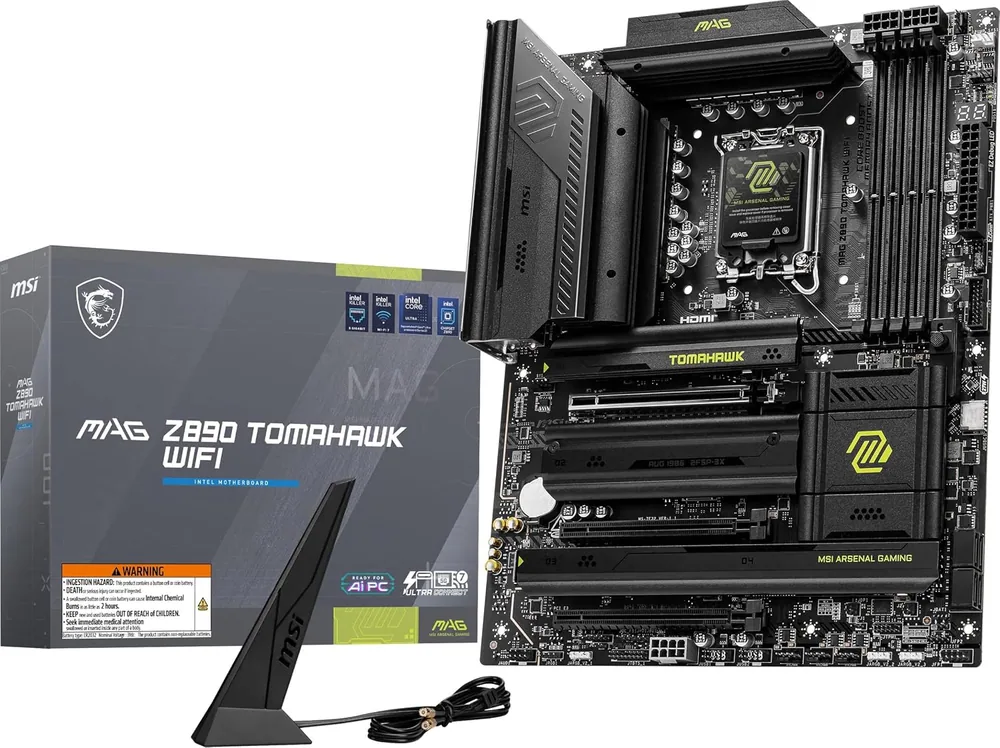
MSI MAG Z890 Tomahawk WiFi
- LGA1851
- Z890
- ATX
- M.2: 4 (1× Gen5)
Two rear Thunderbolt 4 ports, four M.2 slots all running at x4, 5GbE and Wi-Fi 7. A sensible Z890 board for an unlocked CPU — though reviewers note it is a mainstream design rather than one built for extreme overclocking.
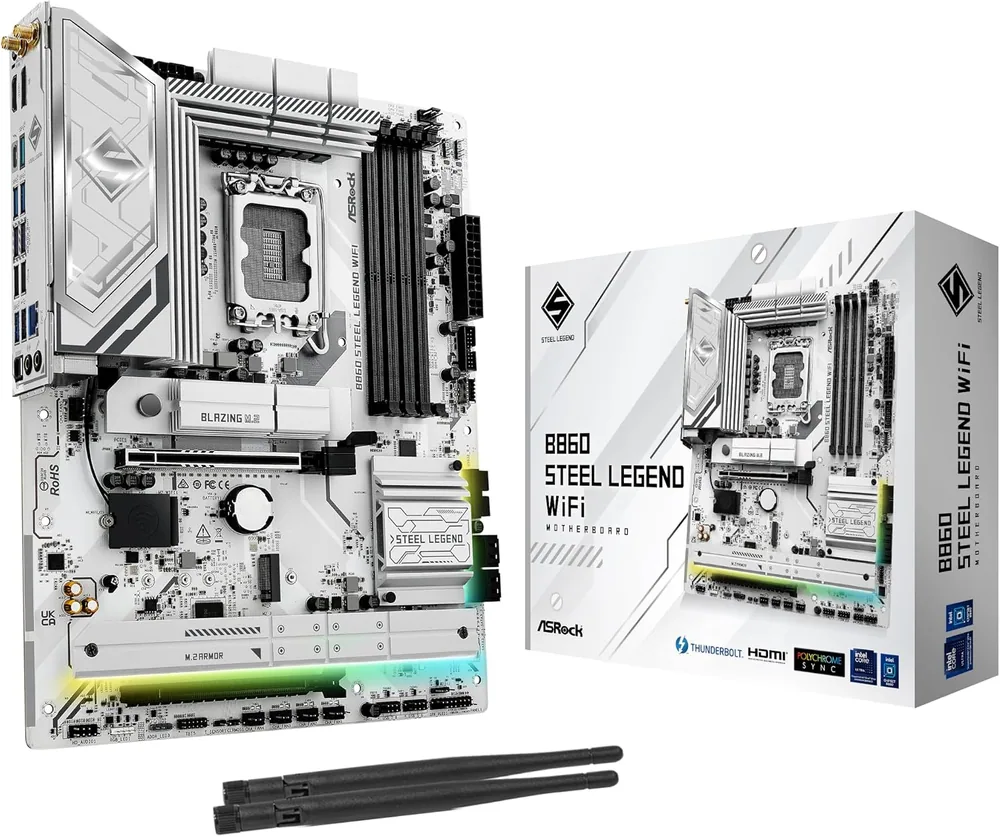
ASRock B860 Steel Legend WiFi
- LGA1851
- B860
- ATX
- M.2: 4 (1× Gen5)
Thunderbolt 4, four M.2 slots, BIOS Flashback and two 8-pin CPU power connectors. In PC Gamer's testing with a Core Ultra 9 285K its power circuitry ran at 45 °C. The trade-offs are Wi-Fi 6E and no CPU overclocking.
Which should you buy?
If you are buying a non-K Core Ultra chip, the B860 Steel Legend WiFi gives you almost everything that matters. Go Z890 only for an unlocked CPU you intend to tune, or when you need two Thunderbolt 4 ports and more full-speed storage.
Also consider the platform's future: Intel's next desktop processors are reported to use a new socket that won't fit LGA1851 boards. Our AM5 vs LGA1851 comparison covers that trade-off, CPU compatibility explains how to check support, and our best motherboards guide compares every pick.