
AMD
X870E vs X870 vs B850: Which AMD Chipset Do You Need?
All three chipsets run the same Ryzen processors at the same speed. The differences are USB4, how many PCIe 5.0 lanes the board can offer, and how much connectivity hangs off the chipset.
Disclosure: As an Amazon Associate I earn from qualifying purchases. Product picks come from manufacturer documentation and independent reviews; we have not tested these boards ourselves.
The short answer
- B850 — the right choice for most gaming and everyday builds.
- X870 — when you want USB4 guaranteed but not the full X870E feature set.
- X870E — for creators and enthusiasts who will use USB4, lots of fast storage or extra expansion cards.
Side-by-side, from AMD's specifications
| Feature | X870E | X870 | B850 |
|---|---|---|---|
| Graphics from the CPU | PCIe 5.0 | PCIe 5.0 | PCIe 4.0 baseline (many boards offer 5.0) |
| NVMe from the CPU | 1× PCIe 5.0 x4 + 4 general lanes | 1× PCIe 5.0 x4 + 4 general lanes | 1× PCIe 5.0 x4 |
| Usable PCIe lanes (total / PCIe 5.0) | 44 / 24 | 36 / 24 | 36 / 4 |
| USB4 | Standard | Standard | Optional |
| CPU overclocking | Yes | Yes | Yes |
| DDR5 overclocking (EXPO) | Yes | Yes | Yes |
Source: AMD's AM5 chipset comparison. "Baseline" means the minimum AMD requires — motherboard makers can add more.
What the differences mean in practice
USB4: guaranteed on X870E and X870, optional on B850
USB4 runs at 40Gbps, which matters for fast external SSDs, docks and some displays. On X870E and X870 it is guaranteed; on B850 you need to check the specific board. Neither of our B850 picks includes it.
PCIe 5.0 lanes: 24 vs 4
B850's 4 PCIe 5.0 lanes cover one Gen5 SSD. X870E and X870 have enough PCIe 5.0 lanes for a Gen5 graphics slot plus Gen5 storage. In practice, a board's layout and lane sharing matter as much as the chipset: the B850 Tomahawk MAX WiFi still offers two Gen5 M.2 slots and a Gen5 graphics slot, because the manufacturer wired them to the CPU.
Extra connectivity
X870E's higher lane count shows up as more full-speed M.2 slots, USB ports and expansion options. If you will fill only one or two M.2 slots and use one graphics card, you will not notice the difference.
Gaming performance: no difference
None. All three support the same CPUs and overclocking. Choose a chipset for features, not frame rates.
Example boards from each tier
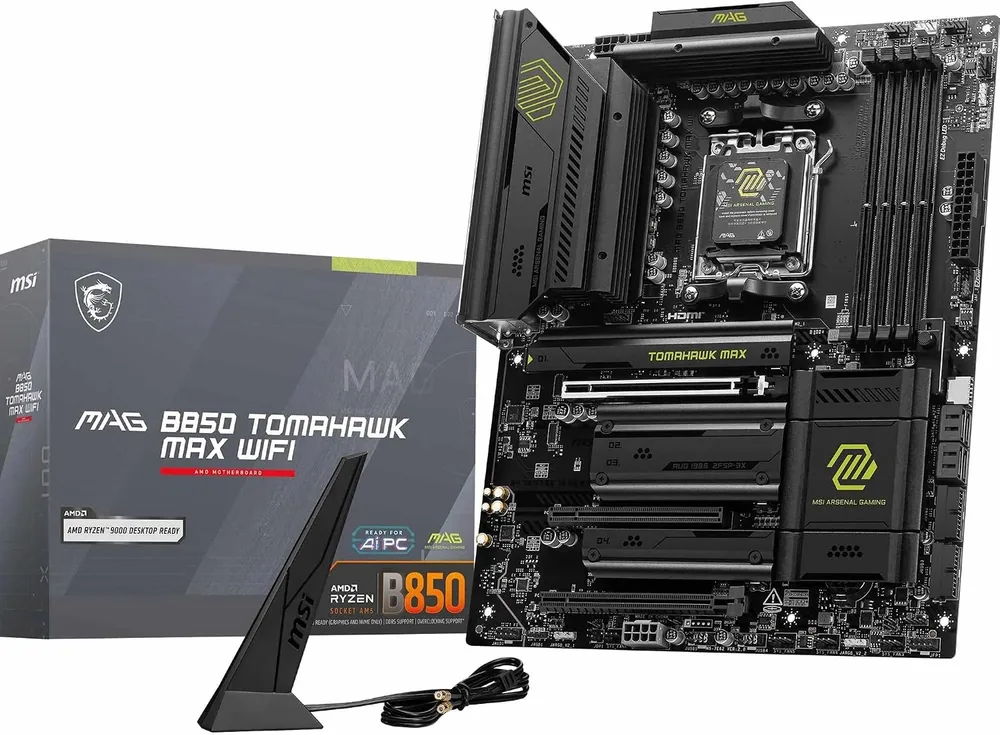
MSI MAG B850 Tomahawk MAX WiFi
- AM5
- B850
- ATX
- M.2: 4 (2× Gen5)
Shows how far a well-designed B850 board goes: Gen5 graphics, two Gen5 M.2 slots on CPU lanes, 5GbE and Wi-Fi 7. No USB4.
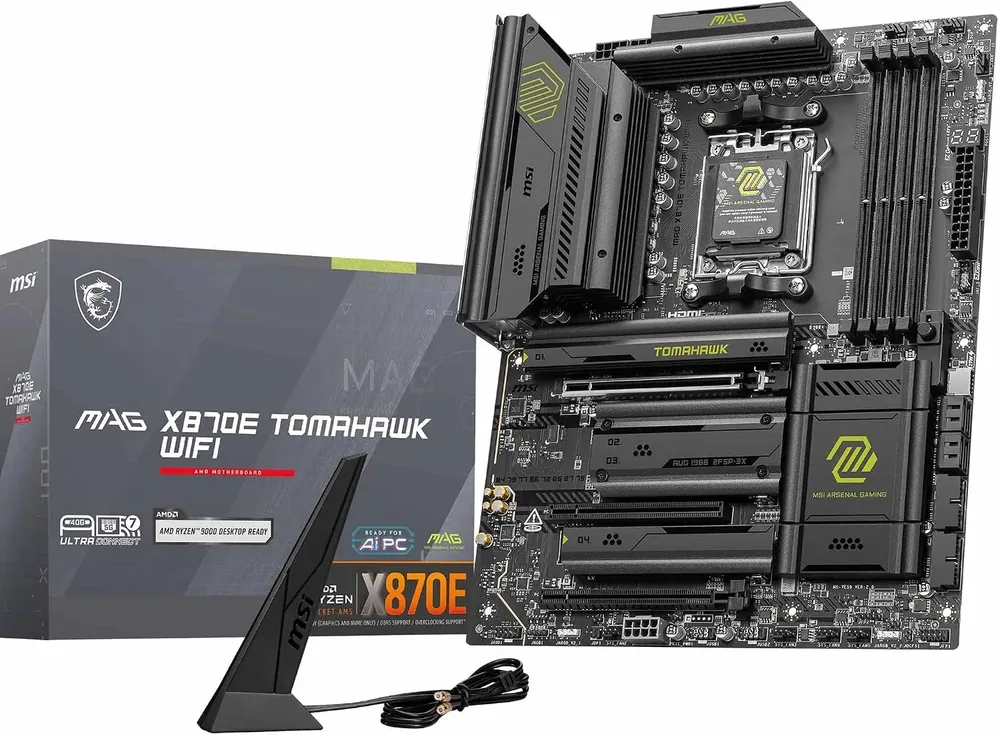
MSI MAG X870E Tomahawk WiFi
- AM5
- X870E
- ATX
- M.2: 4 (2× Gen5)
The step up most people should consider first: the same core layout plus two USB4 ports and two full-speed PCIe 4.0 slots from the chipset.
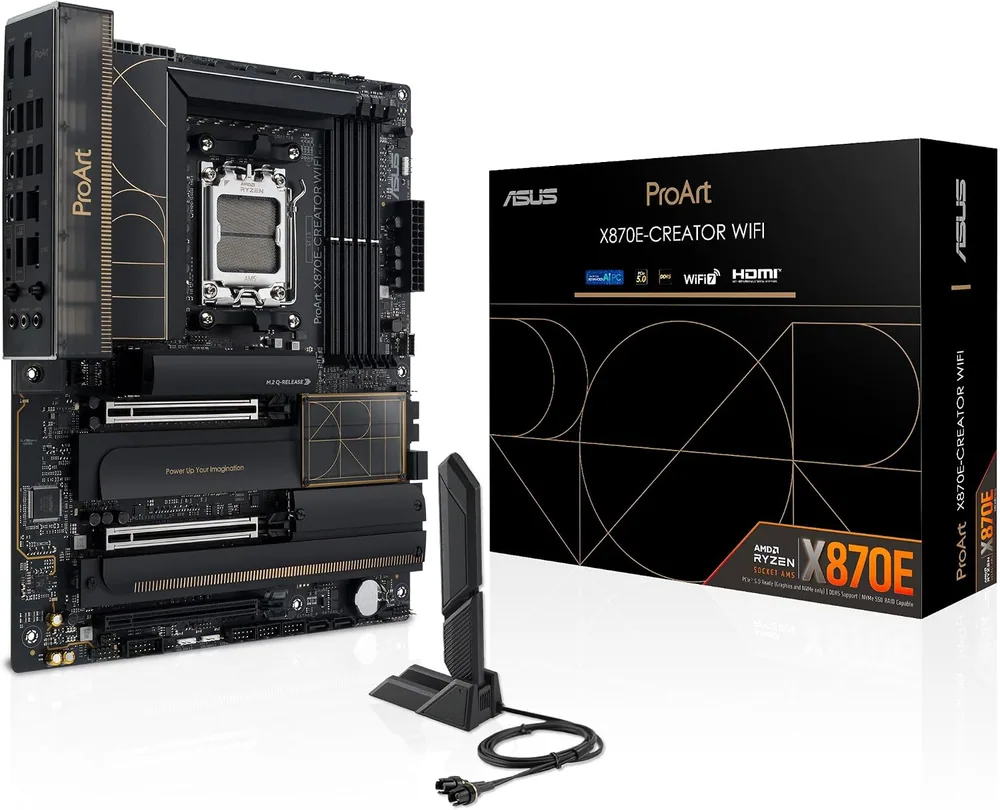
ASUS ProArt X870E-Creator WiFi
- AM5
- X870E
- ATX
- M.2: 4 (2× Gen5)
Uses X870E's extra lanes for 10GbE, dual USB4 and two x16 slots that split x8/x8 — features a B850 board cannot match.
We do not currently recommend a specific X870 board; none in our shortlist passed every check. For more picks, see our best AM5 motherboards and best budget motherboards.
Which should you buy?
For a gaming PC — including one built around the Ryzen 7 9800X3D — a B850 board with a Gen5 graphics slot is the sensible choice. Pay for X870E when you know you will use USB4 or the extra connectivity. Weighing AMD against Intel first? Read AM5 vs LGA1851, or go back to our best motherboards guide.