
Intel
6 Best Intel LGA1851 Motherboards for Core Ultra
On Intel's LGA1851 socket, the chipset decides one big thing — whether you can overclock an unlocked CPU — and the board decides the rest: Thunderbolt 4, how many fast SSDs, and whether you can update the BIOS before the CPU is installed.
Disclosure: As an Amazon Associate I earn from qualifying purchases. Product picks come from manufacturer documentation and independent reviews; we have not tested these boards ourselves.
LGA1851 is the socket for Intel's Core Ultra desktop processors. Z890 boards allow CPU overclocking on unlocked K-series chips; B860 boards don't, but support the same processors. If you're running a non-K chip, or a K chip at stock settings, a good B860 board loses nothing you'd notice.
One rule applies to every board here: it has a button for updating the BIOS from a USB drive without a working CPU. Core Ultra 200S Plus processors need a BIOS update on 800-series boards, so this is the feature most likely to save a new build.
Top 3 Intel LGA1851 picks
The Z890 Tomahawk is the board most Core Ultra builds should start with, the B860 Steel Legend is the value pick, and the Maximus Z890 Hero is for enthusiasts.
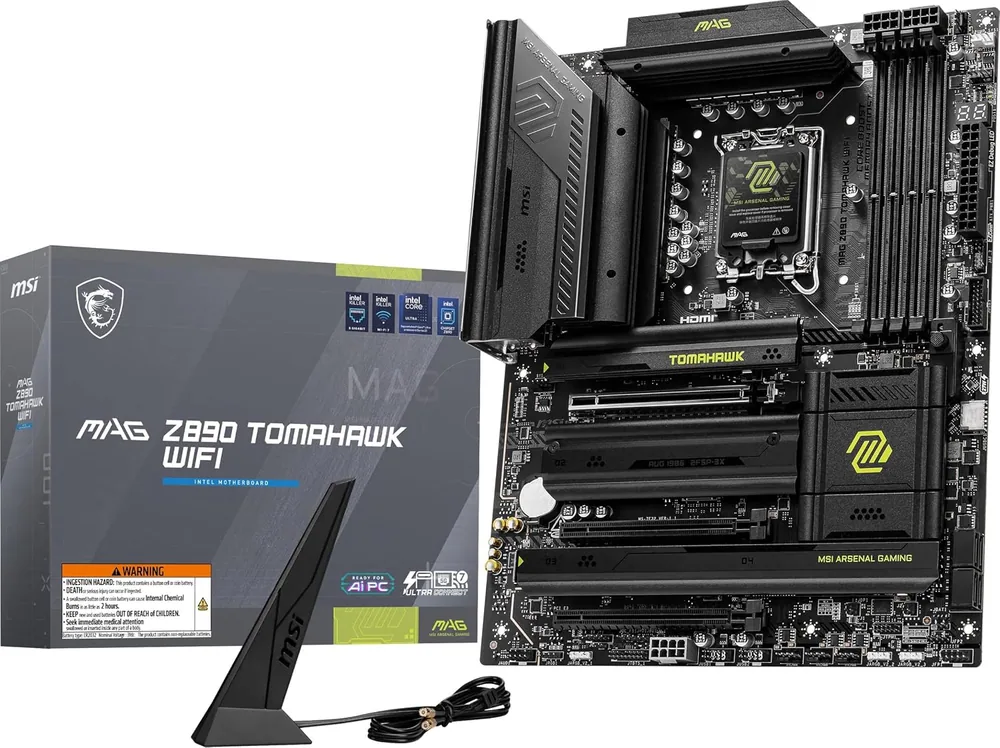
MSI MAG Z890 Tomahawk WiFi
- Z890
- 2× Thunderbolt 4
- 5GbE
- Wi-Fi 7
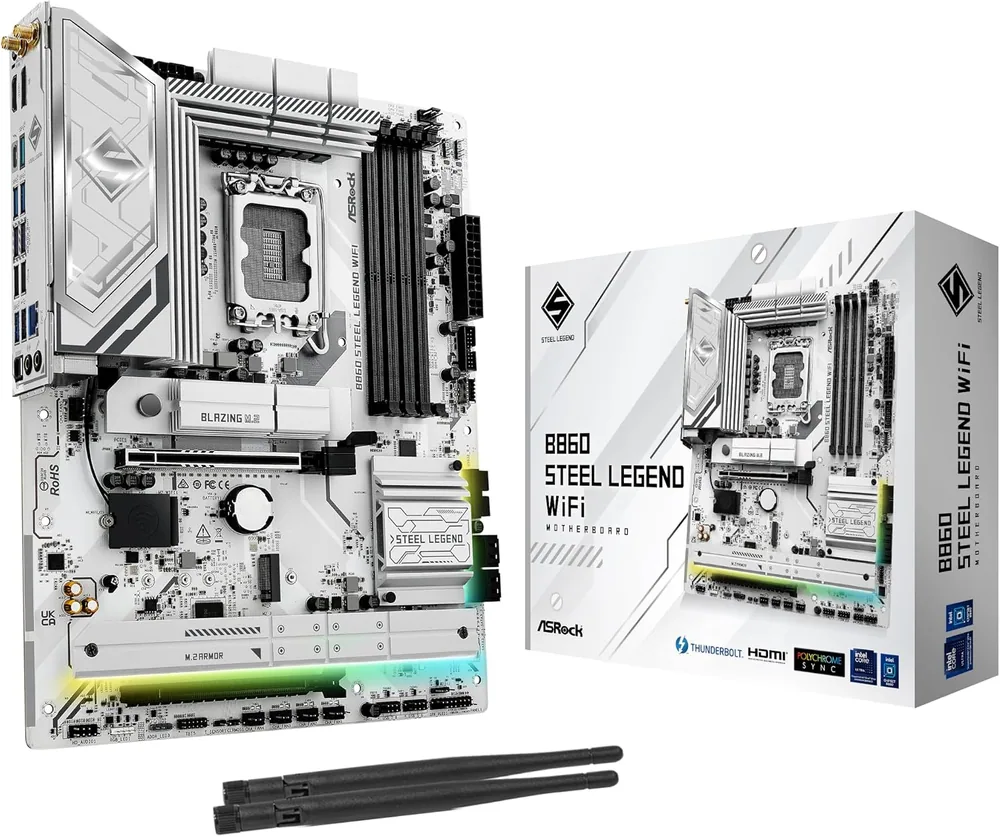
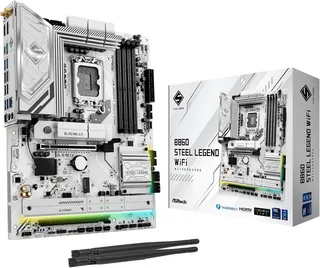
ASRock B860 Steel Legend WiFi
- B860
- Thunderbolt 4
- BIOS Flashback
- 4× M.2
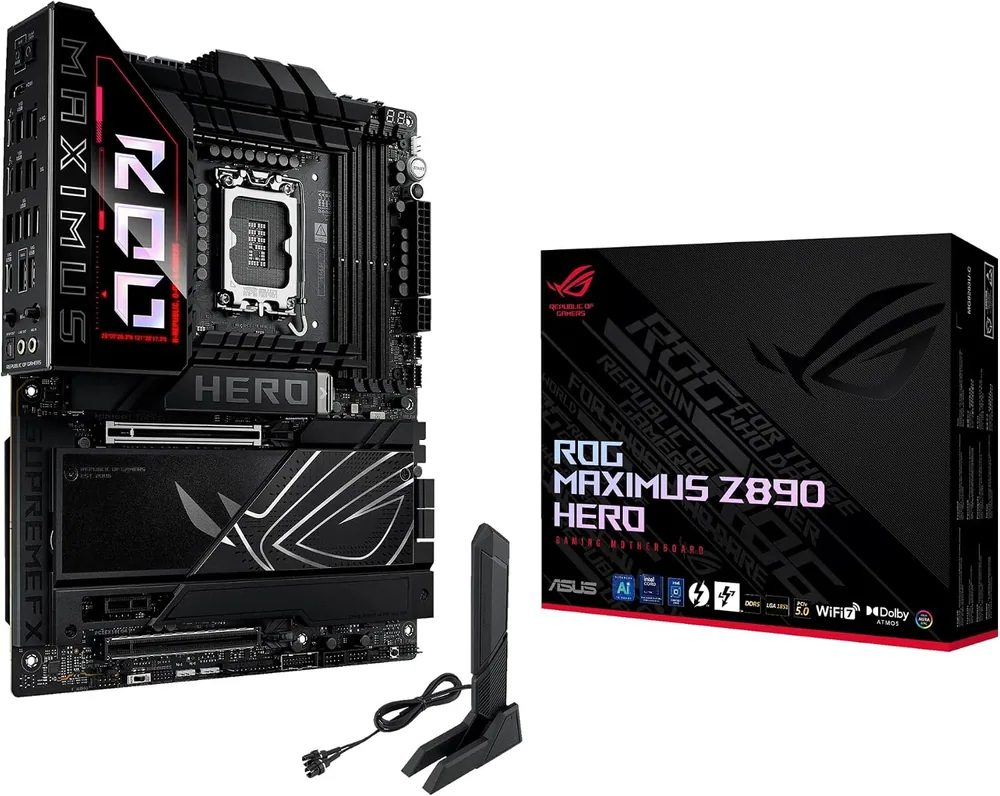
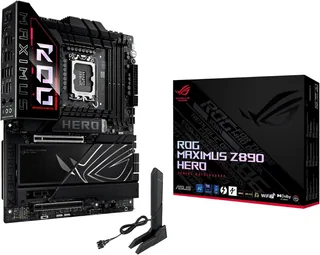
ASUS ROG Maximus Z890 Hero
- Z890
- 3× Gen5 M.2
- 5GbE + 2.5GbE
- Q-Code
The best LGA1851 motherboards compared
| Product | Key specifications | Buy |
|---|---|---|
 Best overallMSI MAG Z890 Tomahawk WiFi |
| View on Amazon |
 Best valueASRock B860 Steel Legend WiFi |
| View on Amazon |
 Best high-endASUS ROG Maximus Z890 Hero |
| View on Amazon |
 Best for storageASUS ROG Strix Z890-A Gaming WiFi |
| View on Amazon |
 Best whiteNZXT N7 Z890 (White) |
| View on Amazon |
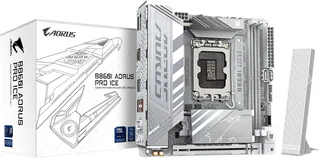 Best Mini-ITXGigabyte B860I Aorus Pro ICE |
| View on Amazon |
1. MSI MAG Z890 Tomahawk WiFi – Best Overall
Editor's choice Specifications
- Socket
- LGA1851
- Chipset
- Intel Z890
- Memory
- 4× DDR5, CUDIMM support
- M.2
- 1× PCIe 5.0 x4, 3× PCIe 4.0 x4
- Thunderbolt
- 2× Thunderbolt 4 (rear)
- Network
- 5GbE LAN · Wi-Fi 7 · Bluetooth 5.4
Pros
- Two Thunderbolt 4 ports
- Four x4 M.2 slots
- 5GbE and Wi-Fi 7
- Flash BIOS button
Cons
- Not built for extreme overclocking
- Only one Gen5 M.2 slot
The MAG Z890 Tomahawk WiFi has the Z890 features most builders will use and nothing they won't: CPU overclocking for K-series chips, two rear Thunderbolt 4 ports, four x4 M.2 slots, 5GbE, 320MHz Wi-Fi 7, a 20Gbps front USB-C header and a Flash BIOS button.
Two M.2 slots from the CPU
MSI wires both a Gen5 and a Gen4 M.2 slot to the CPU, so your two main drives don't share the chipset link with USB and networking.
Original vs WiFi II
We recommend the original. MSI's Tomahawk WiFi II has one Thunderbolt 4 port instead of two and 160MHz rather than 320MHz Wi-Fi 7.
2. ASRock B860 Steel Legend WiFi – Best Value
Specifications
- Socket
- LGA1851
- Chipset
- Intel B860
- Memory
- 4× DDR5, CUDIMM support
- M.2
- 1× PCIe 5.0 x4, 2× PCIe 4.0 x4, 1× PCIe 4.0 x2
- Thunderbolt
- 1× Thunderbolt 4 (rear)
- Network
- 2.5GbE LAN · Wi-Fi 6E · Bluetooth 5.3
Pros
- Thunderbolt 4
- Four M.2 slots
- BIOS Flashback
- Two 8-pin CPU connectors
Cons
- No CPU overclocking (B860)
- Wi-Fi 6E, not Wi-Fi 7
- Second x16 slot runs at x2
If you don't need to overclock the CPU, the B860 Steel Legend WiFi keeps features that budget Intel boards often skip: Thunderbolt 4, four M.2 slots, two 8-pin CPU connectors and BIOS Flashback. PC Gamer measured its power circuitry at 45 °C with a Core Ultra 9 285K.
What B860 gives up
No CPU overclocking (memory overclocking still works), Wi-Fi 6E rather than Wi-Fi 7, and the second x16-length slot runs at x2. Z890 vs B860 has the full comparison.
3. ASUS ROG Maximus Z890 Hero – Best High-End
Specifications
- Socket
- LGA1851
- Chipset
- Intel Z890
- Memory
- 4× DDR5, up to 256GB
- M.2
- 3× PCIe 5.0 x4, 3× PCIe 4.0 x4
- Thunderbolt 4
- 2× 40Gbps Type-C (rear)
- Network
- 5GbE + 2.5GbE · Wi-Fi 7
Pros
- Six M.2 slots, three Gen5
- 5GbE plus 2.5GbE
- Two Thunderbolt 4 ports
- Q-Code display
Cons
- M.2_3 or M.2_4 drops the GPU slot to x8
- 60W USB-C needs an extra PCIe power cable
The Maximus Z890 Hero is for builders who want every fast drive and every tuning tool: six M.2 slots with three on PCIe 5.0, a SlimSAS connector, 5GbE plus 2.5GbE, two Thunderbolt 4 ports, a Q-Code display and BIOS FlashBack and Clear CMOS buttons.
The Gen5 storage trade-off
ASUS notes that enabling M.2_3 or M.2_4 — two of the three Gen5 slots — runs the graphics slot at x8. For a single fast SSD, use M.2_1 and the GPU keeps x16.
60W front USB-C needs extra power
The front 20Gbps USB-C header supports up to 60W charging, but only with the board's 8-pin PCIe power connector plugged in; otherwise it's limited to 27W.
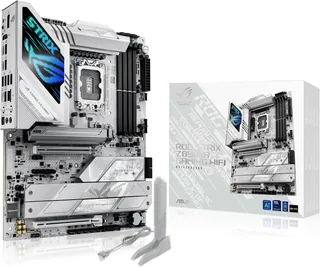
4. ASUS ROG Strix Z890-A Gaming WiFi – Best for Storage
Specifications
- Socket
- LGA1851
- Chipset
- Intel Z890
- Memory
- 4× DDR5, up to 256GB
- M.2
- 1× PCIe 5.0 x4, 4× PCIe 4.0 x4
- Thunderbolt 4
- 2× 40Gbps Type-C (rear)
- Network
- 2.5GbE · Wi-Fi 7
Pros
- Five M.2 slots
- Two Thunderbolt 4 ports
- Wi-Fi 7 with 320MHz support
- 20Gbps front USB-C header
Cons
- One Gen5 M.2 slot
- 2.5GbE only
- Second x16 slot runs at x4
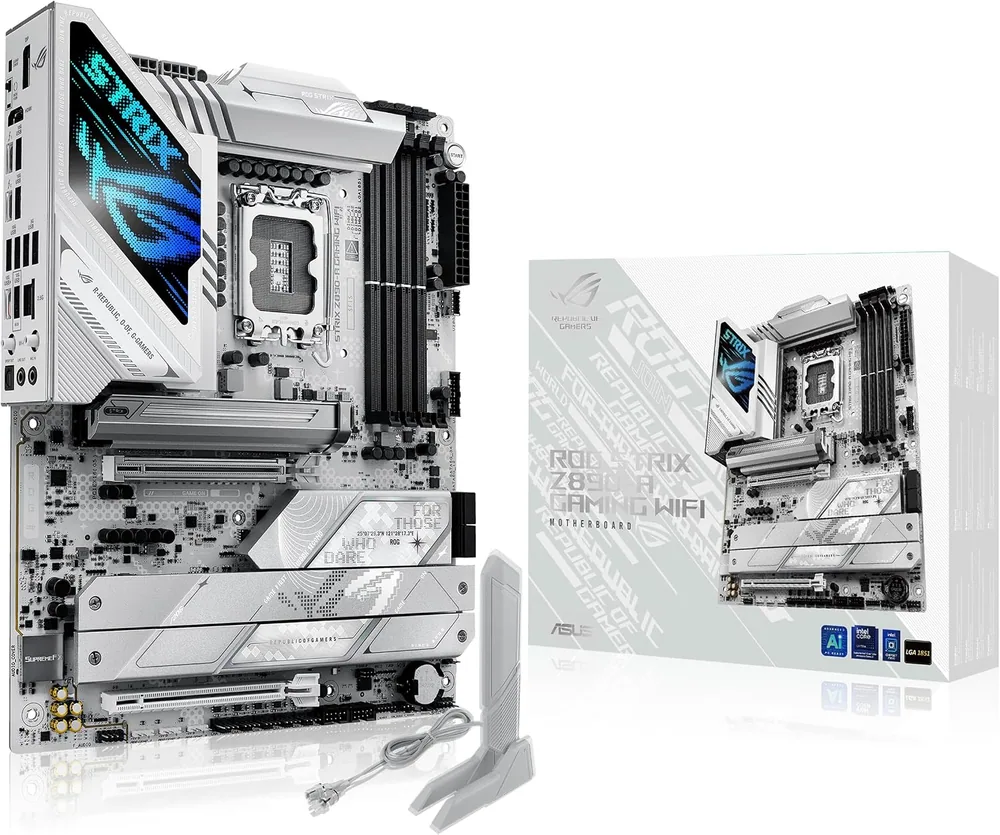
The ROG Strix Z890-A Gaming WiFi fits five M.2 slots onto a Z890 board, alongside two Thunderbolt 4 ports, 320MHz Wi-Fi 7 and a 20Gbps front USB-C header. Of the boards here, only the Hero has more M.2 slots.
Only one slot is Gen5
The other four are PCIe 4.0 x4. That's plenty for game libraries and project drives, but if you want several Gen5 SSDs, the Hero is the board.
White and silver
Its light colorway also makes it a pick in the best white motherboards.
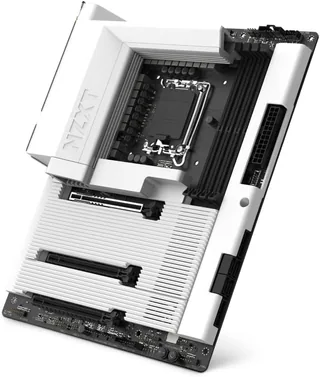
5. NZXT N7 Z890 (White) – Best White
Specifications
- Socket
- LGA1851
- Chipset
- Intel Z890
- Memory
- 4× DDR5, up to 192GB
- M.2
- 1× PCIe 5.0 x4, 3× PCIe 4.0 x4
- Thunderbolt 4
- 2× 40Gbps Type-C (rear)
- Network
- 2.5GbE · Wi-Fi 6E · Bluetooth 5.3
Pros
- Full white cover
- Two rear Thunderbolt 4 ports
- Four M.2 slots
- BIOS Flashback and Clear CMOS buttons
Cons
- Wi-Fi 6E, not Wi-Fi 7
- 2.5GbE only
- One Gen5 M.2 slot
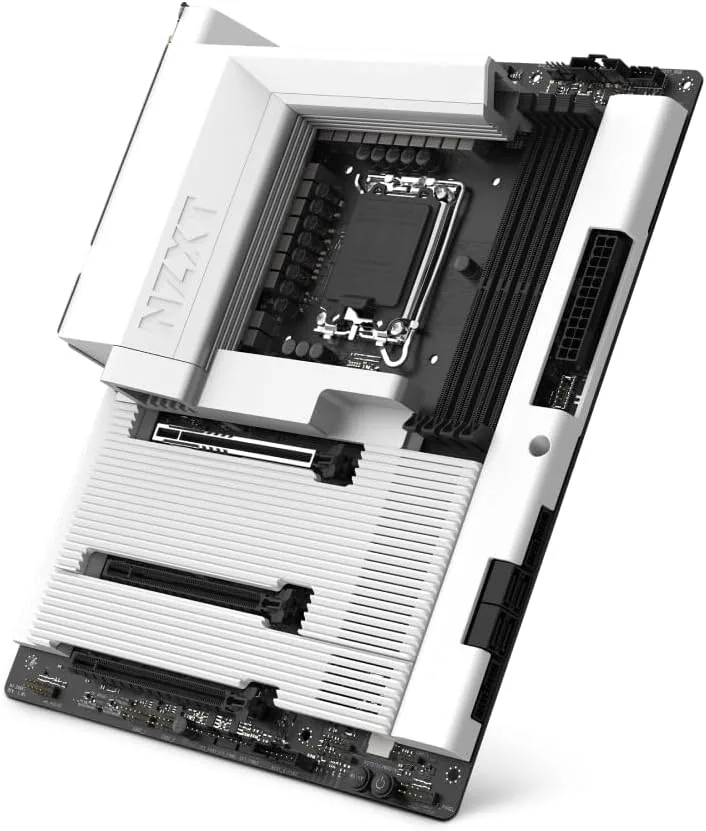
The NZXT N7 Z890 hides the circuit board under a full white cover — the cleanest white look on LGA1851 — and still has two rear Thunderbolt 4 ports, four M.2 slots, two 8-pin CPU connectors and BIOS Flashback.
Check the BIOS version
NZXT's BIOS notes say Core Ultra 200S Plus users should update to version 3.12 or newer. The Flashback button lets you do that before installing the CPU.
Wi-Fi 6E and 2.5GbE
Networking is a step behind the Tomahawk and Strix Z890-A.
6. Gigabyte B860I Aorus Pro ICE – Best Mini-ITX
Specifications
- Socket
- LGA1851
- Chipset
- Intel B860
- Memory
- 2× DDR5, up to 128GB
- M.2
- 1× PCIe 5.0 x4, 1× PCIe 4.0 x4 (rear)
- Thunderbolt 4
- 1× 40Gbps Type-C (rear)
- Network
- 2.5GbE · Wi-Fi 7 · Bluetooth 5.4
Pros
- All-white design
- Thunderbolt 4 on Mini-ITX
- PCIe 5.0 graphics slot and Gen5 M.2
- Q-Flash Plus button
Cons
- Second M.2 slot is on the back of the board
- No CPU overclocking (B860)
- Single 8-pin CPU connector
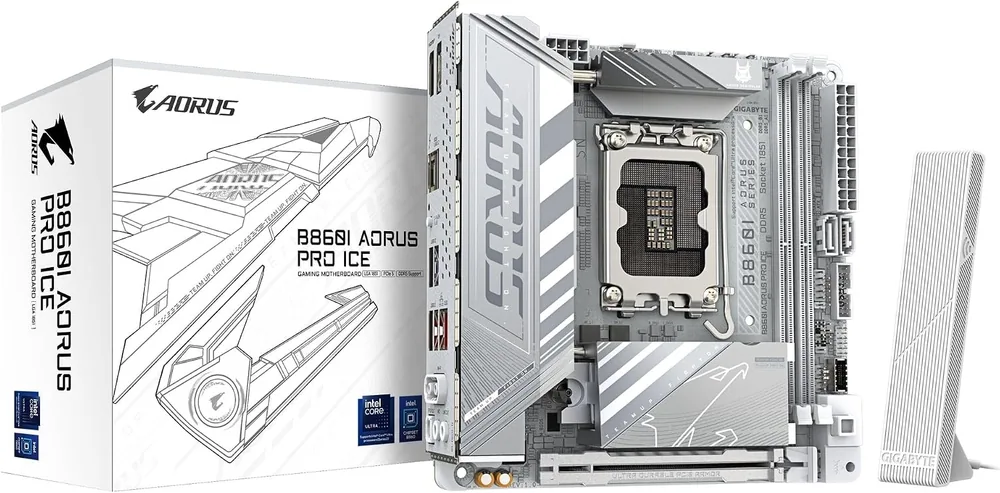
For a small Core Ultra build, the B860I Aorus Pro ICE has a Thunderbolt 4 port, a Gen5 M.2 slot, Wi-Fi 7 and a Q-Flash Plus button in an all-white Mini-ITX board.
Small-board limits
Two DDR5 slots, two M.2 slots (one on the back of the board), a single 8-pin CPU connector and no CPU overclocking. See the best Mini-ITX motherboards for AMD alternatives.
Intel boards we left out
- MSI B860 Gaming Plus WiFi: no Flash BIOS button.
- MSI B860 Tomahawk WiFi: not available new from Amazon or an authorized seller on Amazon US when we checked.
- ASUS ROG Strix B860-I Gaming WiFi: no BIOS FlashBack button listed in ASUS's specifications.
- Gigabyte Z890 Aorus Elite and Pro ICE, Z890 Eagle WIFI7 Plus: sold on Amazon US by third-party sellers we couldn't confirm as authorized.
How to decide between them
Will you overclock a K-series CPU?
Yes: choose a Z890 board. No: the B860 Steel Legend (ATX) or B860I Aorus Pro ICE (Mini-ITX) gives up nothing you'll miss.
How many fast SSDs?
One or two: any board here. Five or six M.2 drives: the Strix Z890-A or Maximus Hero — and on the Hero, keep the graphics card at x16 by avoiding M.2_3 and M.2_4.
Wired network speed
The Z890 Tomahawk and Maximus Hero have 5GbE. The others are 2.5GbE.
Think about the upgrade path
Intel's next desktop processors are reported to use a new socket that won't fit LGA1851 boards. If CPU upgrades matter to you, read AM5 vs LGA1851 first.
FAQs
Do LGA1851 boards support DDR4?
No. Every board here is DDR5-only.
Will my board need a BIOS update for a Core Ultra 200S Plus CPU?
Very likely, on an 800-series board. Every board here can be updated without a CPU — here's how.
Is Thunderbolt 4 the same as USB4?
Both run at 40Gbps and use USB-C. Thunderbolt 4 certification guarantees certain features, such as Thunderbolt dock support.
Best Intel LGA1851 motherboards: final call
For most Core Ultra builds, buy the MSI MAG Z890 Tomahawk WiFi. Skip overclocking and save with the ASRock B860 Steel Legend WiFi. Enthusiasts should go to the ASUS ROG Maximus Z890 Hero, storage-heavy builds to the ROG Strix Z890-A, white builds to the NZXT N7 Z890, and small cases to the Gigabyte B860I Aorus Pro ICE. Compare with AMD in our best motherboards guide.