
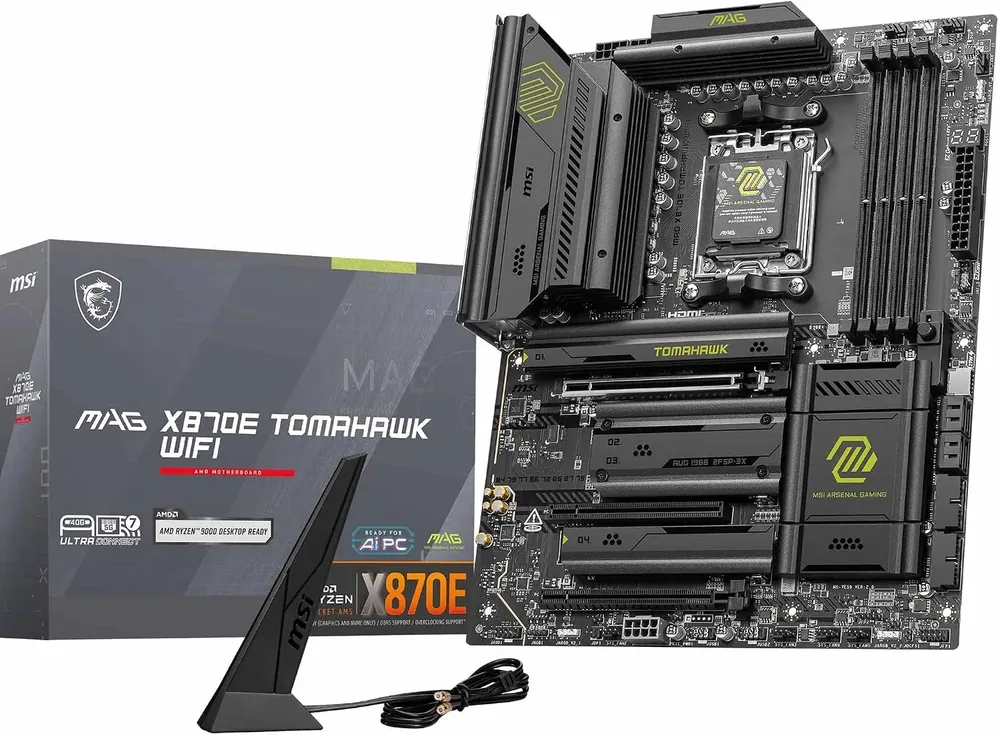
MSI MAG X870E Tomahawk WiFi
- AM5
- X870E
- ATX
A complete X870E board: two PCIe 5.0 M.2 slots from the CPU, two full-speed PCIe 4.0 slots from the chipset, dual USB4 and 5GbE.
View on AmazonMotherboard buying guide · AMD & Intel
Eight boards chosen for specific builds — gaming, budget, compact, creator and high-end — with the lane-sharing details and trade-offs spec sheets bury in footnotes.
Disclosure: As an Amazon Associate I earn from qualifying purchases. Recommendations are based on manufacturer documentation and independent reviews; we have not tested these boards ourselves.
Quick picks
Short on time? Start with the three boards most builders should consider, then check the specialist picks below.
A complete X870E board: two PCIe 5.0 M.2 slots from the CPU, two full-speed PCIe 4.0 slots from the chipset, dual USB4 and 5GbE.
View on Amazon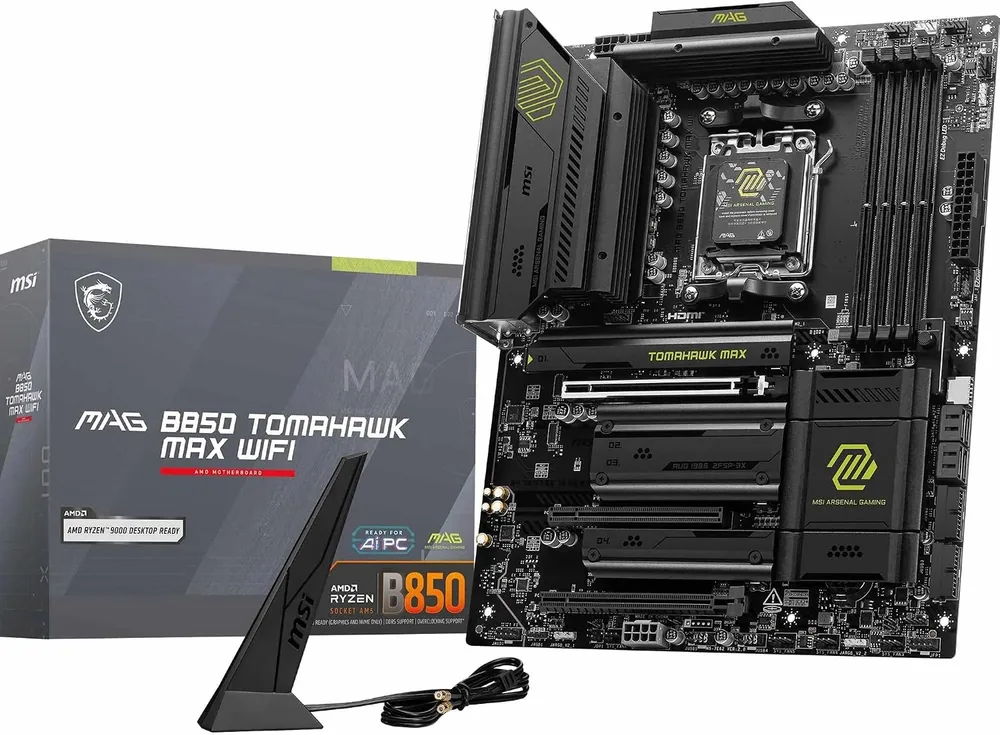
Same PCIe 5.0 x16 graphics slot as pricier boards, plus two CPU-attached Gen5 M.2 slots that never take lanes from the GPU.
View on Amazon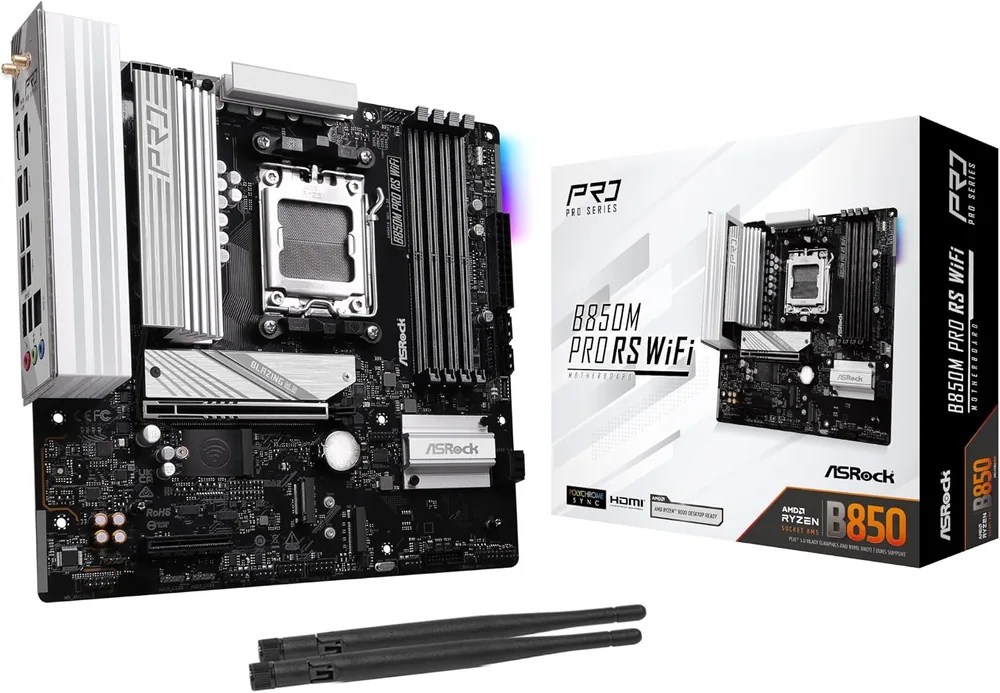
A Micro-ATX B850 board with a PCIe 5.0 graphics slot, a Gen5 M.2 slot, Wi-Fi 6E and BIOS Flashback.
View on Amazon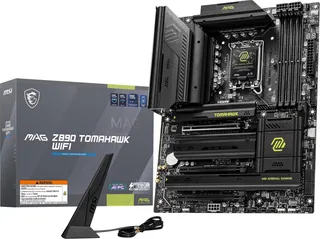
Side by side
Key specifications from each manufacturer's documentation. Tap a row on mobile for full details.
| Board | Chipset | Platform | Size | M.2 slots | USB4 / TB4 | LAN · Wi-Fi | Buy | Details |
|---|---|---|---|---|---|---|---|---|
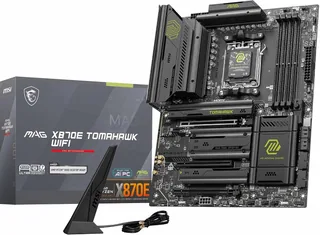 Best Overall MSI MAG X870E Tomahawk WiFi | X870E ATX | AM5 · X870E | ATX | 4 (2× Gen5) | 2× USB4 | 5GbE · Wi-Fi 7 | View on Amazon | Full specs & buying link
|
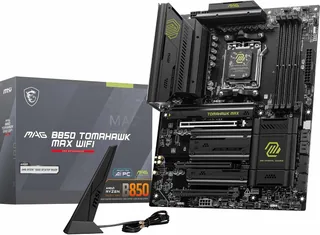 Best for Gaming MSI MAG B850 Tomahawk MAX WiFi | B850 ATX | AM5 · B850 | ATX | 4 (2× Gen5) | — | 5GbE · Wi-Fi 7 | View on Amazon | Full specs & buying link
|
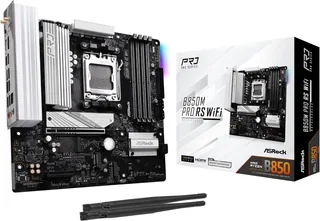 Best Budget ASRock B850M Pro RS WiFi | B850 Micro-ATX | AM5 · B850 | Micro-ATX | 3 (1× Gen5) | — | 2.5GbE · Wi-Fi 6E | View on Amazon | Full specs & buying link
|
| Best Intel Z890 Motherboard MSI MAG Z890 Tomahawk WiFi | Z890 ATX | LGA1851 · Z890 | ATX | 4 (1× Gen5) | 2× Thunderbolt 4 | 5GbE · Wi-Fi 7 | View on Amazon | Full specs & buying link
|
| Best Intel for Most Builders ASRock B860 Steel Legend WiFi | B860 ATX | LGA1851 · B860 | ATX | 4 (1× Gen5) | 1× Thunderbolt 4 | 2.5GbE · Wi-Fi 6E | View on Amazon | Full specs & buying link
|
| Best Micro-ATX ASUS ROG Strix B850-G Gaming WiFi | B850 Micro-ATX | AM5 · B850 | Micro-ATX | 4 (1× Gen5) | — | 2.5GbE · Wi-Fi 7 | View on Amazon | Full specs & buying link
|
| Best for Creators ASUS ProArt X870E-Creator WiFi | X870E ATX | AM5 · X870E | ATX | 4 (2× Gen5) | 2× USB4 | 10GbE + 2.5GbE · Wi-Fi 7 | View on Amazon | Full specs & buying link
|
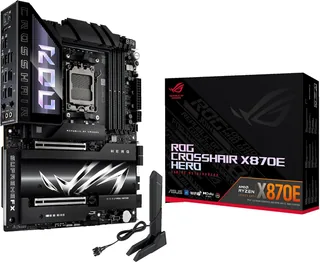
| Best High-End ASUS ROG Crosshair X870E Hero | X870E ATX | AM5 · X870E | ATX | 5 (3× Gen5) | 2× USB4 | 5GbE + 2.5GbE · Wi-Fi 7 | View on Amazon | Full specs & buying link
|
In depth
Each pick lists who it suits, the specs that matter and the trade-offs from the manual's fine print.
Best for: Most Ryzen builds that want USB4 and room to grow without paying for flagship extras.
It covers everything a mainstream AM5 build needs and adds the X870E extras that matter in daily use: two rear USB4 ports and four full x4 M.2 slots.
Rear Flash BIOS and Clear CMOS buttons make CPU upgrades and memory tuning easier to recover from.
The second Gen5 M.2 slot shares bandwidth with the rear USB4 ports. With a drive installed there, both run at PCIe 5.0 x2 unless you switch the slot to x4 in the BIOS, which disables the USB4 ports.
Skip it if: You never use USB4 — the B850 Tomahawk MAX gives you the same core layout for gaming.
More options: More AM5 options
Best for: Gaming PCs where the graphics card should get the budget, not the motherboard.
Gaming performance depends on the CPU and graphics card. This board gives both a full PCIe 5.0 x16 slot and leaves out the extras most gamers never use.
Both Gen5 M.2 slots have their own CPU lanes, so adding a fast SSD does not reduce graphics bandwidth.
There is no USB4. The third M.2 slot runs at PCIe 4.0 x2 and shares lanes with the bottom expansion slot, which drops to x2 when that M.2 slot is used.
Skip it if: You need USB4 for fast external storage or docks — choose the X870E Tomahawk WiFi.
More options: Best motherboard for the Ryzen 7 9800X3D
Best for: Ryzen builds that need a dependable board with the essentials and nothing more.
You still get the modern essentials: a PCIe 5.0 x16 graphics slot, a PCIe 5.0 M.2 slot and four DDR5 slots.
BIOS Flashback lets you update firmware from a USB drive without a working CPU — useful when pairing an older board with a newer Ryzen chip.
Only the Gen5 M.2 slot has a heatsink, the front USB-C header is 5Gbps, and using the third M.2 slot disables the second PCIe slot.
Skip it if: You want Wi-Fi 7 or fast front USB-C — step up to the ROG Strix B850-G.
More options: Best budget motherboards
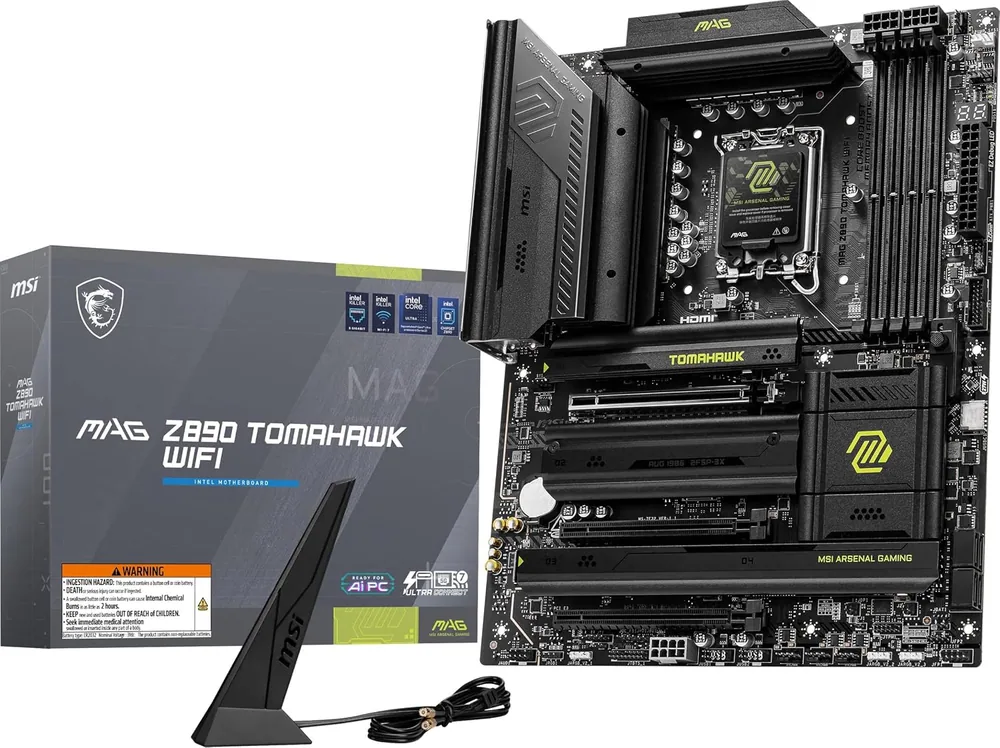
Best for: Core Ultra builds with an unlocked K-series CPU that want Z890 features and two Thunderbolt 4 ports.
Z890 is the Intel chipset that allows CPU overclocking on unlocked processors, and this board pairs it with two rear Thunderbolt 4 ports.
Four M.2 slots all run at x4, and the Flash BIOS button helps with the BIOS update newer Core Ultra 200S Plus CPUs require.
It is a mainstream board rather than an extreme-overclocking design. LGA1851 has no announced path to Intel’s next desktop socket.
Skip it if: You run a non-K CPU at stock settings — a B860 board covers that for less complexity.
More options: Z890 vs B860: which Intel chipset you need
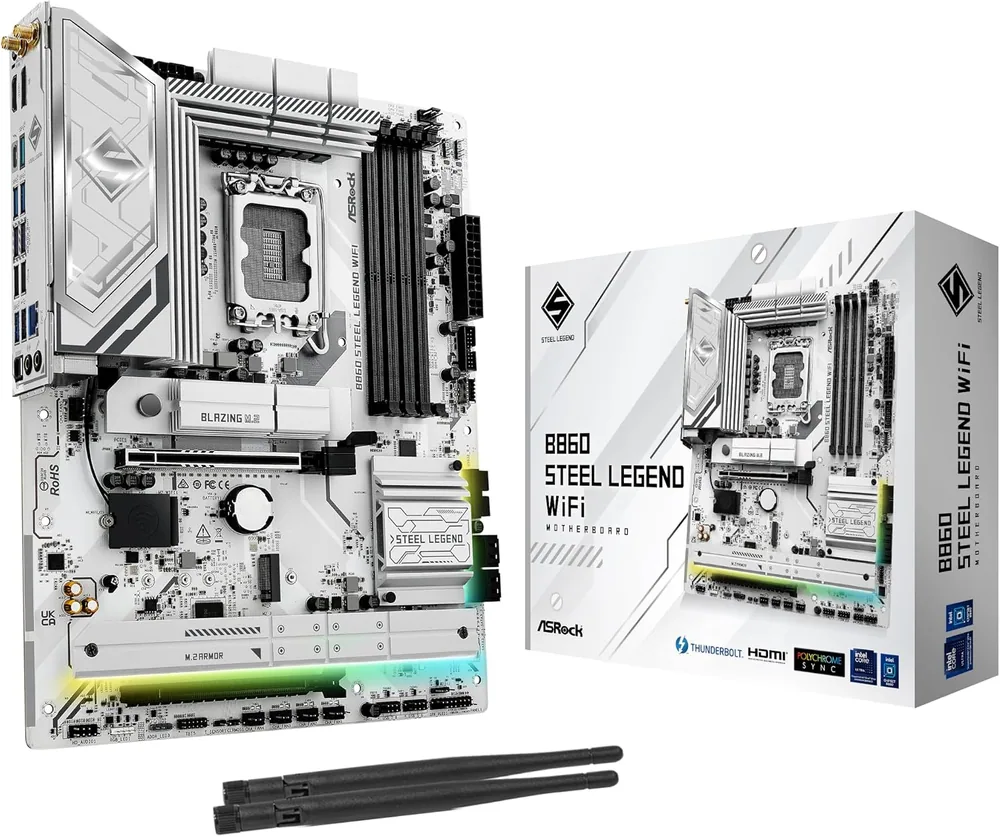
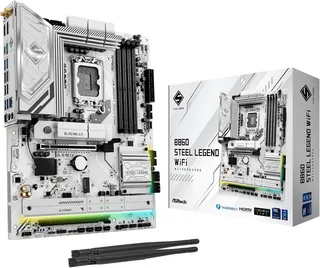
Best for: Core Ultra builds running at stock settings that still want Thunderbolt 4 and plenty of storage.
It keeps features usually reserved for pricier boards: Thunderbolt 4, a PCIe 5.0 M.2 slot and four M.2 slots in total.
BIOS Flashback matters on Intel this year: Core Ultra 200S Plus processors need a BIOS update on 800-series boards.
B860 does not allow CPU overclocking, wireless is Wi-Fi 6E rather than Wi-Fi 7, and the second PCIe x16-length slot runs at x2.
Skip it if: You plan to overclock an unlocked CPU — choose the Z890 Tomahawk WiFi.
More options: Z890 vs B860
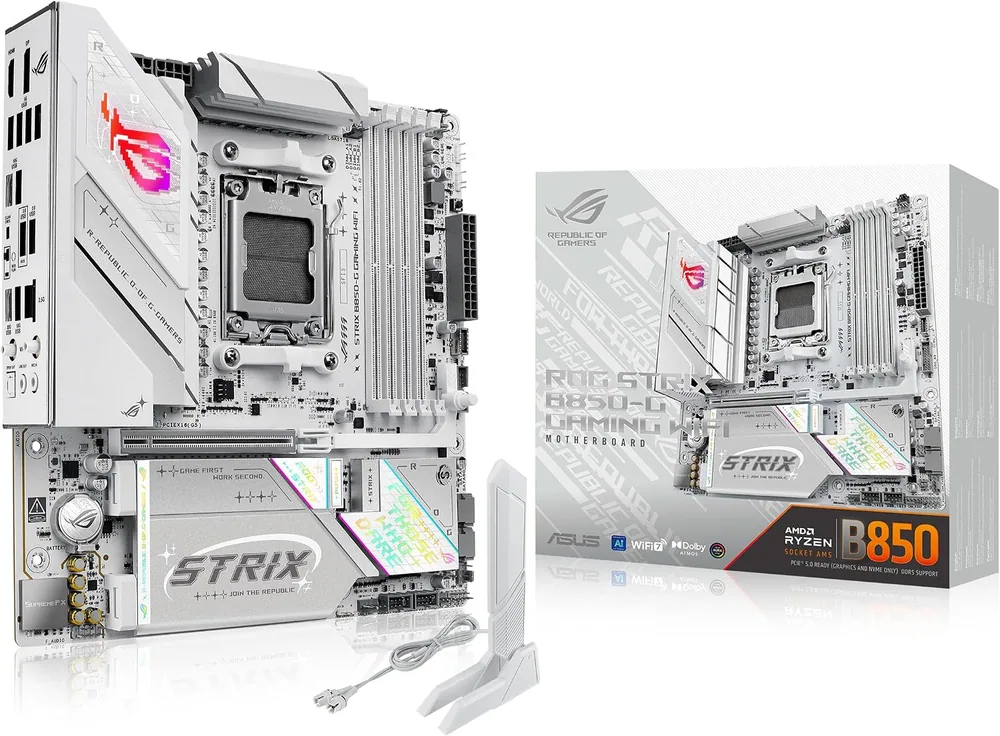
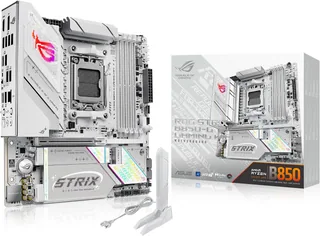
Best for: Compact Ryzen builds that want four M.2 slots and Wi-Fi 7 in a smaller case.
Four M.2 slots in Micro-ATX is unusual, and independent testing found all four run without bandwidth sharing.
It adds the comforts missing from budget Micro-ATX boards: Wi-Fi 7, a 20Gbps rear USB-C port and a 10Gbps front USB-C header.
There is only one expansion slot, no USB4 and two SATA ports — fine for most compact builds, limiting for expansion cards.
Skip it if: You need a second expansion card or several SATA drives — choose an ATX board.
More options: Best Micro-ATX motherboards
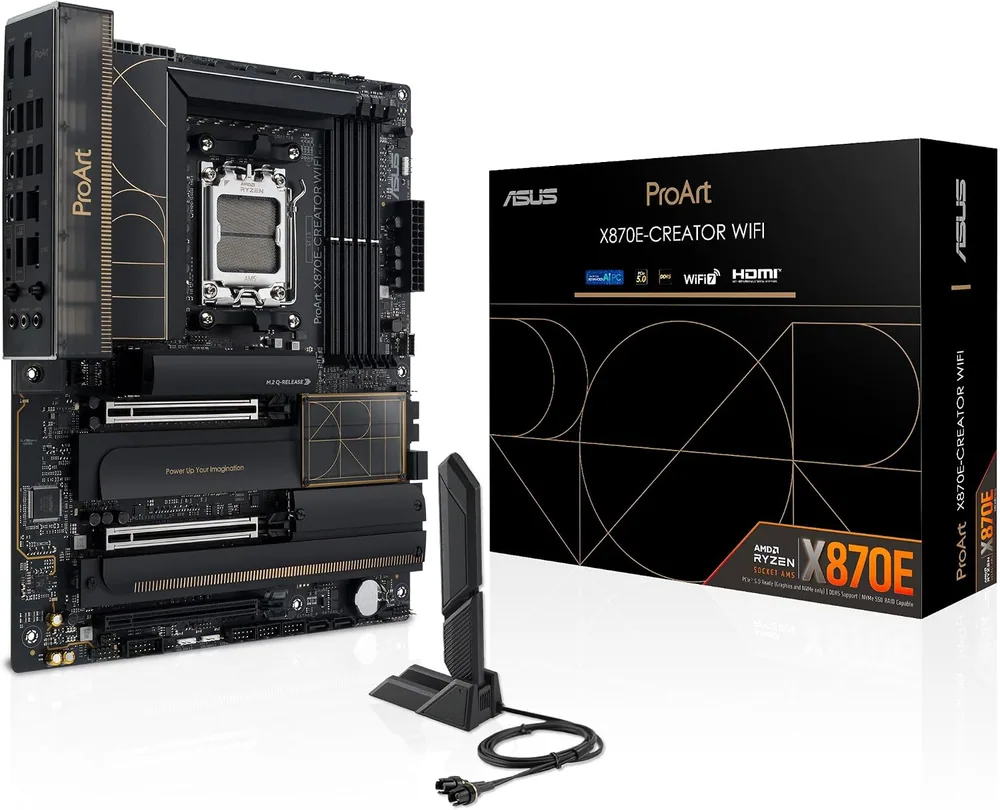
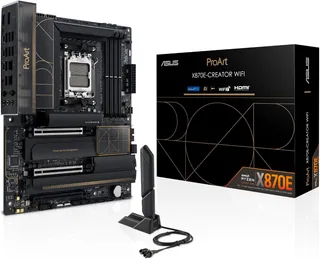
Best for: Video editing, 3D and NAS-backed workflows that move large files.
10GbE makes network storage feel local, and two USB4 ports handle fast external drives and displays.
Two PCIe 5.0 x16 slots run at x8/x8 for a second graphics card or capture card, and ECC memory support suits long renders.
Using the second Gen5 M.2 slot changes the GPU slots to x8/x4. There is no optical audio output, and one reviewer wanted more detailed boot-debug information.
Skip it if: You only game — the extra networking and slots add nothing to frame rates.
More options: Best motherboards for content creation
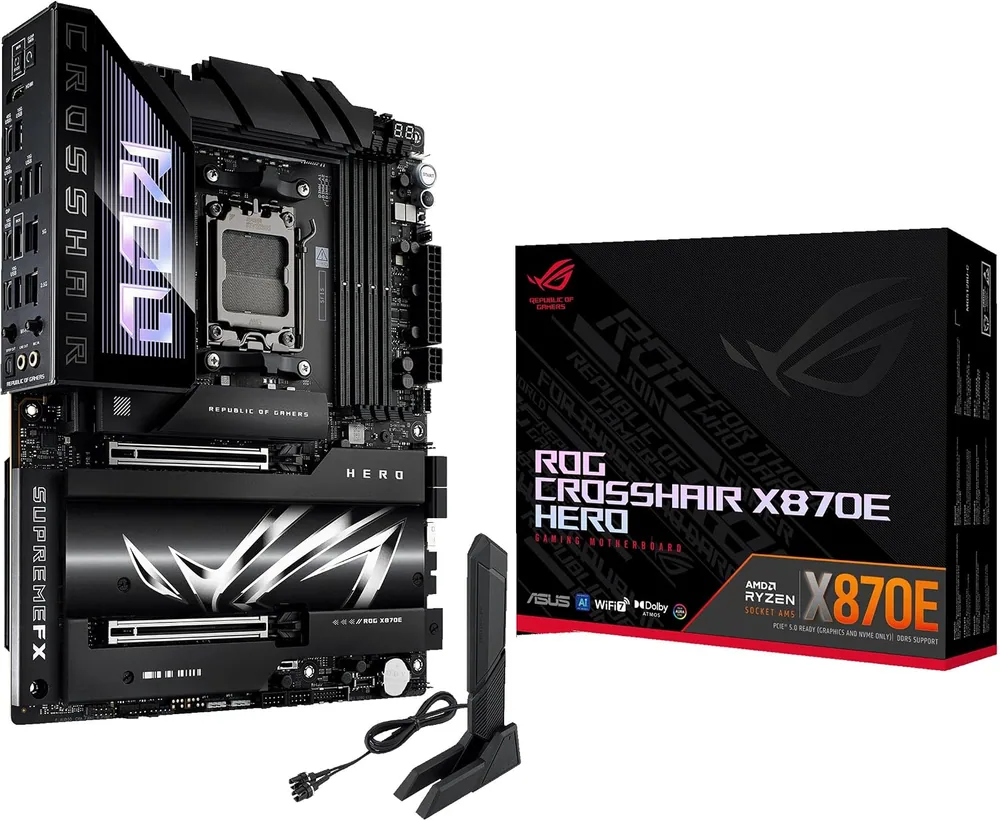
Best for: Enthusiasts who want maximum storage, connectivity and power delivery on AM5.
Five M.2 slots, three of them PCIe 5.0, plus dual LAN and dual USB4 cover almost any high-end build.
Debug and recovery tools are complete: Q-Code display, BIOS FlashBack and Clear CMOS buttons on the rear panel.
Populating the second or third M.2 slot drops the main graphics slot to x8. Reviewers also found the accessory bundle thin, and there is no 10GbE.
Skip it if: You will not use the extra M.2 slots or connectivity — the X870E Tomahawk WiFi covers most builds.
More options: Best AM5 motherboards
Match the board to the build
Start from what the PC needs to do. Spending more on a motherboard rarely raises frame rates — it buys connectivity, storage and expansion.
Platform first
Every AM5 board in this guide lists support for Ryzen 7000, 8000 and 9000 desktop processors — three generations on one socket. Chipsets range from X870E down to A620, so the same CPU can sit in a feature-packed board or a lean one.
One caveat: Ryzen 8000-series chips have fewer PCIe lanes. Manufacturer manuals show some M.2 slots running slower or switching off with those CPUs, so check the manual if you plan to use one.
LGA1851 boards support Core Ultra (Series 2) processors. The newer Core Ultra 200S Plus chips also work on existing 800-series boards, but only after a BIOS update.
A board with a BIOS Flashback button can be updated from a USB drive without a working CPU, which removes the risk of buying a board with older firmware.
Deeper comparison: AM5 vs LGA1851
Don't overpay for features you won't use
The chipset sets the board's ceiling: how many fast devices it can connect, and whether the CPU can be overclocked. It does not change how fast the CPU itself runs at stock settings.
| Chipset | Best for | What it adds |
|---|---|---|
| X870E | Enthusiasts and creators | USB4 standard; PCIe 5.0 for graphics and NVMe; the most connectivity (up to 44 usable PCIe lanes, 24 of them PCIe 5.0); CPU and memory overclocking. |
| X870 | High-end builds needing USB4 | USB4 standard; PCIe 5.0 for graphics and NVMe; fewer lanes than X870E (up to 36); CPU and memory overclocking. |
| B850 | Most gamers and mainstream builds | PCIe 5.0 NVMe; PCIe 4.0 graphics as the baseline (many boards, including our picks, offer PCIe 5.0); USB4 optional; CPU and memory overclocking. |
| B840 | Tight budgets | No PCIe 5.0 lanes — PCIe 4.0 graphics and NVMe; memory overclocking but no CPU overclocking. |
| A620 | Basic office and light-use PCs | No PCIe 5.0 lanes; memory overclocking but no CPU overclocking; the fewest features. |
Detailed comparison: X870E vs X870 vs B850
| Chipset | Best for | What it adds |
|---|---|---|
| Z890 | Unlocked K-series CPUs | CPU (core and BCLK) and memory overclocking; up to 24 chipset PCIe 4.0 lanes for storage and expansion. |
| B860 | Most Intel builds at stock settings | Memory overclocking only — no CPU overclocking; up to 14 chipset PCIe 4.0 lanes. |
| H810 | Basic systems | No CPU or memory overclocking; up to 8 chipset PCIe 4.0 lanes. |
Detailed comparison: Z890 vs B860
Avoid a board that won't boot
AMD Ryzen 7000/8000/9000 use AM5. Intel Core Ultra (Series 2) uses LGA1851. Sockets are not interchangeable.
Newer CPUs can need a BIOS update before the board will boot. The manufacturer’s CPU support list shows the minimum version for each processor.
A rear Flashback (or Flash BIOS) button updates firmware from a USB drive with no CPU installed — every board in this guide has one.
All AM5 and LGA1851 boards in this guide use DDR5 only. Check the board’s memory support list for high-speed or high-capacity kits.
Some CPUs (such as Ryzen 8000-series) provide fewer PCIe lanes, which can slow or disable certain M.2 slots.
More detail: Motherboard CPU Compatibility How to Update Your Motherboard BIOS
Size and case fit
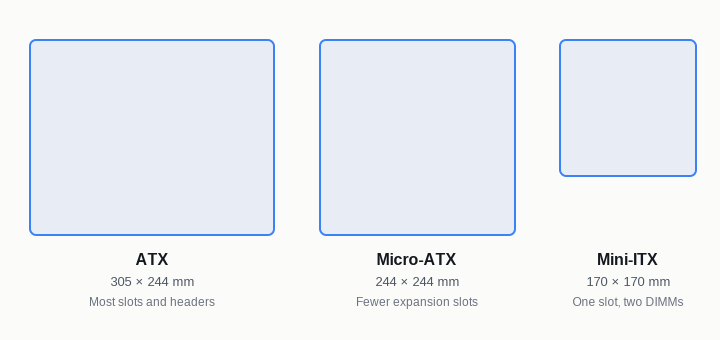
| Form factor | Size | Typical layout | Choose it when |
|---|---|---|---|
| ATX | 305 × 244 mm | Several expansion slots, four DIMM slots, the most M.2 and headers | You want room for extra cards, drives and cooling |
| Micro-ATX | 244 × 244 mm | Fewer expansion slots, usually four DIMM slots | You want a smaller case without giving up much |
| Mini-ITX | 170 × 170 mm | One expansion slot, two DIMM slots | Size matters most — small living-room or travel builds |
Full comparison: ATX vs Micro-ATX vs Mini-ITX
Buying guide
Choose in this order: platform (AMD or Intel), then chipset, then the specific features your build will actually use.
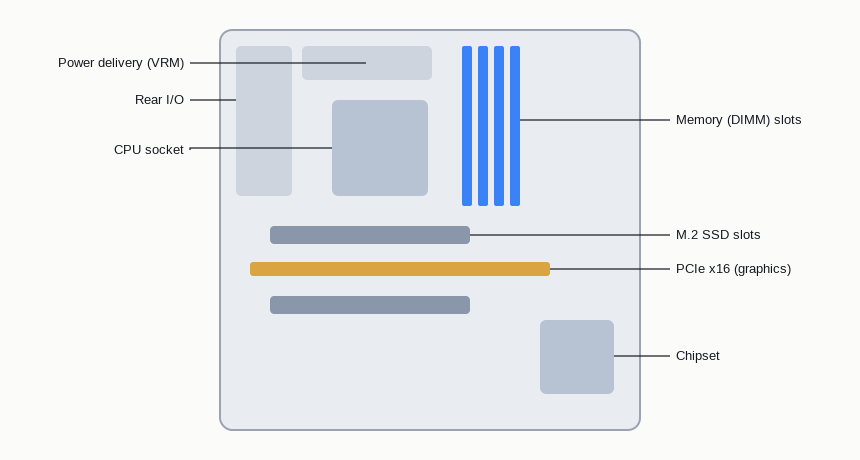
The voltage regulators (VRM) feed the CPU. Mainstream boards handle stock Ryzen and Core Ultra chips comfortably; heavier power stages and bigger heatsinks matter mostly for top CPUs under sustained load or overclocking. Two 8-pin CPU power connectors are a useful sign of a board built for high-end chips.
All boards here use DDR5. Advertised overclocked speeds usually apply to one module per channel; four modules typically run slower. Check the memory support list if you plan to fill all four slots.
Count PCIe 5.0 versus 4.0 slots and note which come from the CPU. A single PCIe 4.0 SSD is plenty for gaming; extra Gen5 slots matter for heavy file work.
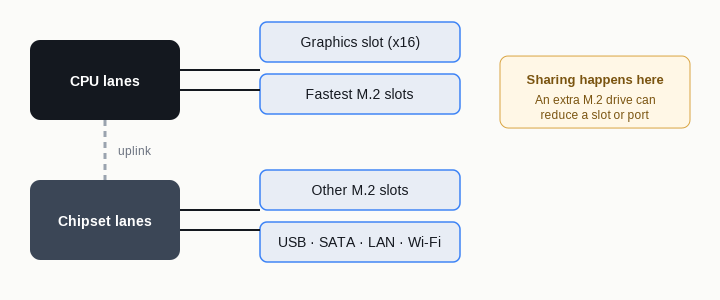
Boards have a fixed number of lanes. Filling some M.2 slots can slow a PCIe slot, the graphics slot or USB4 ports. Each review above lists the exact trade-offs from the manual.
Every board here has a PCIe 5.0 x16 graphics slot. On some boards, using certain M.2 slots drops it to x8 — check the review notes if you plan to use every slot.
2.5GbE is enough for most homes; 5GbE and 10GbE help with fast NAS transfers. Wi-Fi 7 needs a Wi-Fi 7 router to make a difference over Wi-Fi 6E.
USB4 and Thunderbolt 4 run at 40Gbps for fast external drives and docks. Also check the front USB-C header speed if your case has a front Type-C port.
A BIOS Flashback button lets you update firmware without a working CPU. Clear CMOS buttons and debug LEDs or codes make troubleshooting easier.
Methodology
We don't run a test lab, so we don't claim lab results. Every specification above comes from the manufacturer's datasheet or user manual — including the lane-sharing footnotes most buyers never see — and we checked thermals and known problems against independent reviews. Then we confirmed that the exact model and revision is sold new on Amazon US by Amazon or an authorized seller. Boards were cut at each stage. These are the decisions that shaped the list:
We re-check availability regularly and review the picks when new CPUs, chipsets or board revisions arrive.
FAQ
Very little at stock settings. Frame rates come from the CPU and graphics card. A motherboard matters for connectivity, storage, upgrade options and how well it powers high-end CPUs under sustained load.
B850 is enough for most gaming builds. X870E adds required USB4 and more chipset connectivity, which helps if you use fast external drives, many SSDs or extra expansion cards.
Only if you plan to overclock an unlocked K-series CPU or need the extra chipset connectivity. For stock settings, a well-equipped B860 board covers most builds.
Not always. Newer CPUs can require a minimum BIOS version — for example, Intel Core Ultra 200S Plus processors need an update on 800-series boards. A BIOS Flashback button lets you update without a working CPU.
Only with a Wi-Fi 7 router. With an older router, Wi-Fi 6E or Wi-Fi 7 boards perform similarly. A wired 2.5GbE or faster connection is still the most consistent option.
Two to three covers most builds: one fast drive for the system and games, plus space to add storage later. Check lane-sharing notes before filling every slot.
No. Every AM5 and LGA1851 board in this guide supports DDR5 only.
Choose ATX if you want more expansion slots and headers. Micro-ATX suits smaller cases and loses little for a typical single-GPU build.
Verdict