
AMD
6 Best AM5 Motherboards for Ryzen Builds
Every AM5 board runs the same Ryzen CPUs at the same speed. What you're really choosing is the chipset tier, how the board shares its PCIe lanes, and which features you'll actually plug something into.
Disclosure: As an Amazon Associate I earn from qualifying purchases. Product picks come from manufacturer documentation and independent reviews; we have not tested these boards ourselves.
AM5 has already carried three Ryzen generations — every board here lists support for Ryzen 7000, 8000 and 9000. That makes the socket the easy part. The harder part is that two boards with the same chipset can behave very differently once you fill their M.2 slots, and that Ryzen 8000 chips switch some slots off entirely.
These six picks span B850 and X870E, from a Micro-ATX budget board to a flagship. For each one we've spelled out the lane-sharing trade-offs from the manual, so you know what you're buying before you build.
Top 3 AM5 picks
The X870E Tomahawk is the all-rounder, the B850 Tomahawk MAX is the gaming value pick, and the ASRock is the cheapest way into AM5 we'd recommend.
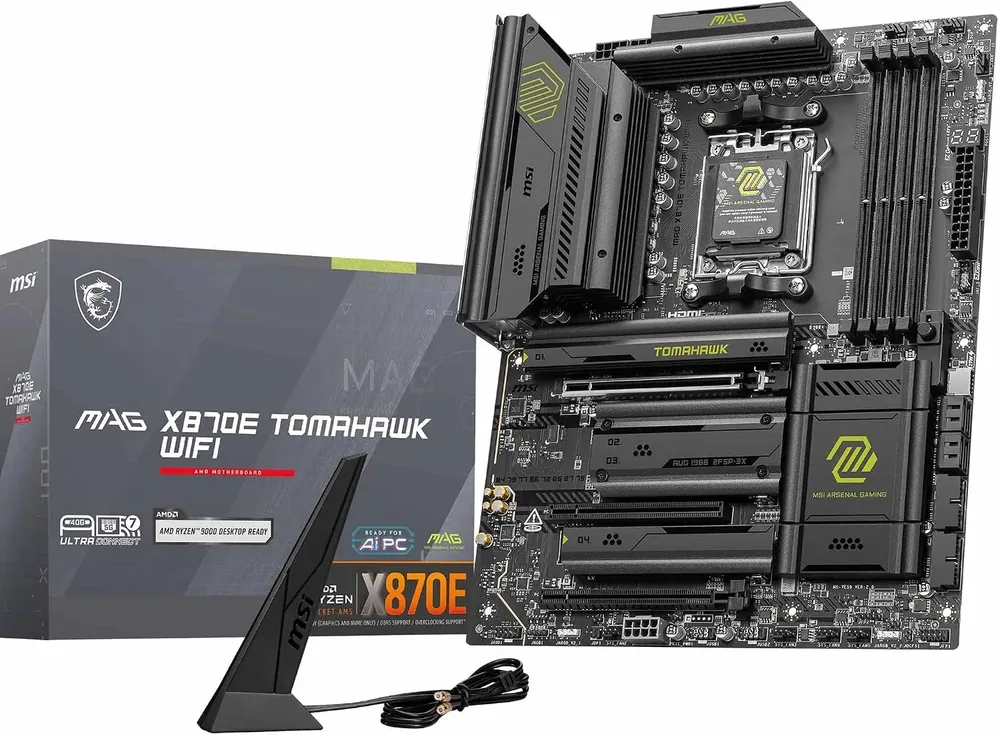
MSI MAG X870E Tomahawk WiFi
- X870E
- 2× USB4
- 4× x4 M.2
- 5GbE
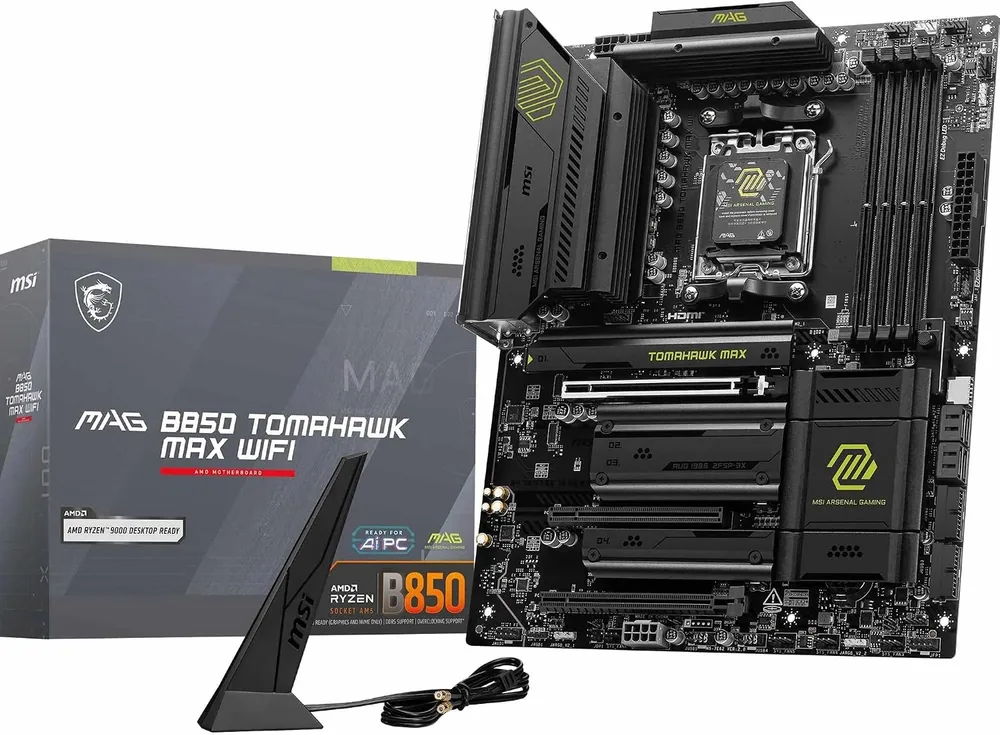
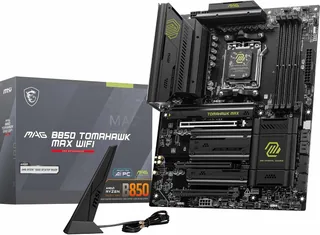
MSI MAG B850 Tomahawk MAX WiFi
- B850
- 2× Gen5 M.2
- Gen5 x16 GPU slot
- Wi-Fi 7
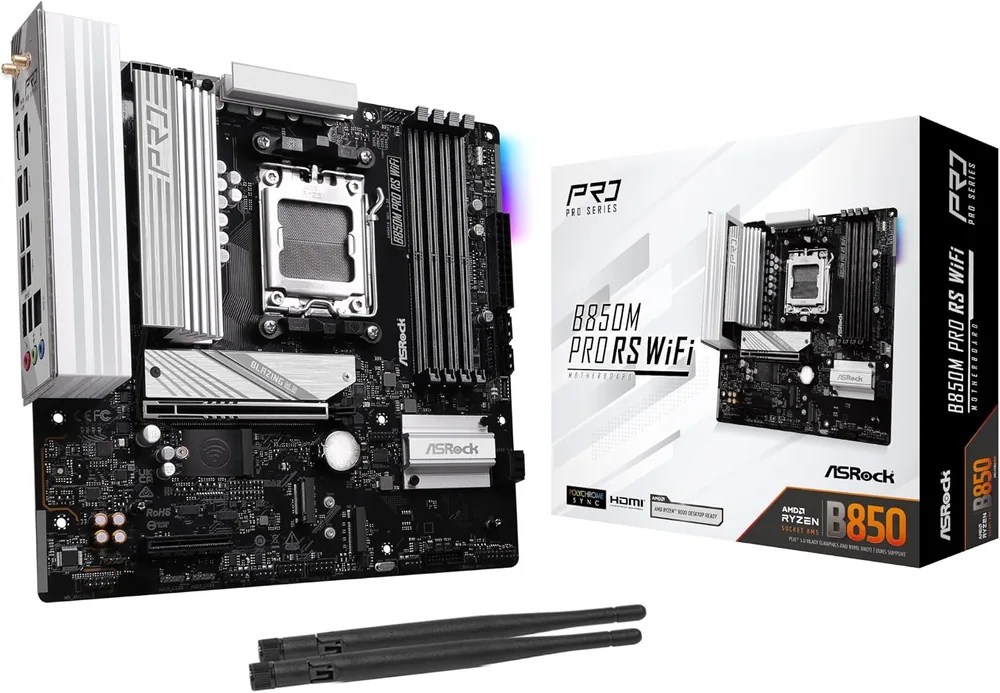
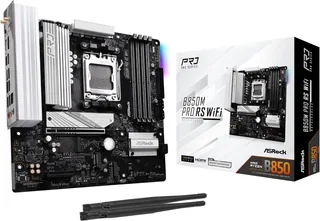
ASRock B850M Pro RS WiFi
- B850
- Micro-ATX
- BIOS Flashback
- Wi-Fi 6E
The best AM5 motherboards compared
| Product | Key specifications | Buy |
|---|---|---|
 Best overallMSI MAG X870E Tomahawk WiFi |
| View on Amazon |
 Best for gamingMSI MAG B850 Tomahawk MAX WiFi |
| View on Amazon |
 Best budgetASRock B850M Pro RS WiFi |
| View on Amazon |
 Best compactASUS ROG Strix B850-G Gaming WiFi |
| View on Amazon |
 Best for creatorsASUS ProArt X870E-Creator WiFi |
| View on Amazon |
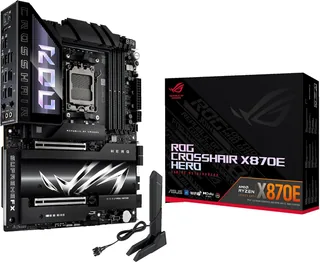 Best high-endASUS ROG Crosshair X870E Hero |
| View on Amazon |
1. MSI MAG X870E Tomahawk WiFi – Best Overall
Editor's choice Specifications
- Socket
- AM5
- Chipset
- AMD X870E
- Memory
- 4× DDR5
- M.2
- 2× PCIe 5.0 x4, 2× PCIe 4.0 x4
- USB4
- 2× 40Gbps Type-C (rear)
- Network
- 5GbE LAN · Wi-Fi 7 · Bluetooth 5.4
Pros
- Dual rear USB4 ports
- Four x4 M.2 slots
- 5GbE and Wi-Fi 7
- Flash BIOS button
Cons
- Second Gen5 M.2 slot shares bandwidth with USB4
- Only one PCIe 5.0 expansion slot
The X870E Tomahawk WiFi is the AM5 board we'd recommend to most people who aren't sure what they need yet. It has two CPU-attached Gen5 M.2 slots, two full-speed Gen4 slots from the chipset, two rear USB4 ports and 5GbE — the X870E features you'll actually use, without flagship extras.
The USB4 and M.2 trade-off
The second Gen5 M.2 slot and the rear USB4 ports share PCIe 5.0 x4. With a drive in that slot, both run at x2. You can give the slot full x4 in the BIOS, but USB4 switches off. Put your fastest drive in the first slot and use the Gen4 slots next.
Ryzen 8000 caveat
With a Ryzen 8700/8600/8400 the graphics slot runs at PCIe 4.0 x8, and with a Ryzen 8500/8300 it drops to x4 and the second M.2 slot is unavailable. Ryzen 7000 and 9000 aren't affected.
2. MSI MAG B850 Tomahawk MAX WiFi – Best for Gaming
Specifications
- Socket
- AM5
- Chipset
- AMD B850
- Memory
- 4× DDR5
- GPU slot
- PCIe 5.0 x16
- M.2
- 2× PCIe 5.0 x4, 1× PCIe 4.0 x4, 1× PCIe 4.0 x2
- Network
- 5GbE LAN · Wi-Fi 7 · Bluetooth 5.4
Pros
- Full-bandwidth GPU slot
- Two Gen5 M.2 slots on CPU lanes
- 5GbE and Wi-Fi 7
- Flash BIOS button
Cons
- No USB4
- Third M.2 slot limited to PCIe 4.0 x2
For a gaming PC, the B850 Tomahawk MAX WiFi gives you everything that affects play: a PCIe 5.0 x16 graphics slot and two Gen5 M.2 slots on their own CPU lanes, so a fast SSD never takes bandwidth from the GPU. 5GbE and Wi-Fi 7 cover networking.
Why not X870E for gaming?
The X870E Tomahawk adds USB4 and two full-speed chipset M.2 slots. Neither changes frame rates. If you don't use fast external drives, this board is the smarter spend.
The third M.2 slot
It runs at PCIe 4.0 x2 and shares lanes with the bottom expansion slot, which drops to x2 when it's used. For a game library drive, x2 is still plenty.
3. ASRock B850M Pro RS WiFi – Best Budget
Specifications
- Socket
- AM5
- Chipset
- AMD B850
- Memory
- 4× DDR5
- M.2
- 1× PCIe 5.0 x4, 2× PCIe 4.0 x4
- BIOS
- BIOS Flashback button
- Network
- 2.5GbE LAN · Wi-Fi 6E · Bluetooth 5.2
Pros
- PCIe 5.0 GPU and M.2 slots
- BIOS Flashback
- Four DDR5 slots
- Wi-Fi 6E included
Cons
- Only one M.2 heatsink
- Front USB-C limited to 5Gbps
- Third M.2 disables PCIE2
The ASRock B850M Pro RS WiFi is the cheapest AM5 board we'd recommend, and it doesn't cut the things that matter: a PCIe 5.0 graphics slot, a PCIe 5.0 M.2 slot, four DDR5 slots and a BIOS Flashback button, so you can update firmware without a working CPU.
Where the savings come from
Only the Gen5 M.2 slot has a heatsink, the front USB-C header runs at 5Gbps, Wi-Fi is 6E rather than 7, and CPU power is 8-pin plus 4-pin. Using the third M.2 slot disables the second PCIe slot.
Best with a Ryzen 5 or 7 at stock settings
It's a natural match for a Ryzen 5 or Ryzen 7 at stock settings — see our 9600X guide. For a 16-core chip, we'd choose a board with two 8-pin connectors.
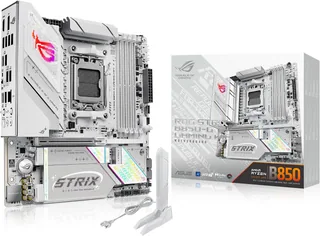
4. ASUS ROG Strix B850-G Gaming WiFi – Best Compact
Specifications
- Socket
- AM5
- Chipset
- AMD B850
- Memory
- 4× DDR5
- M.2
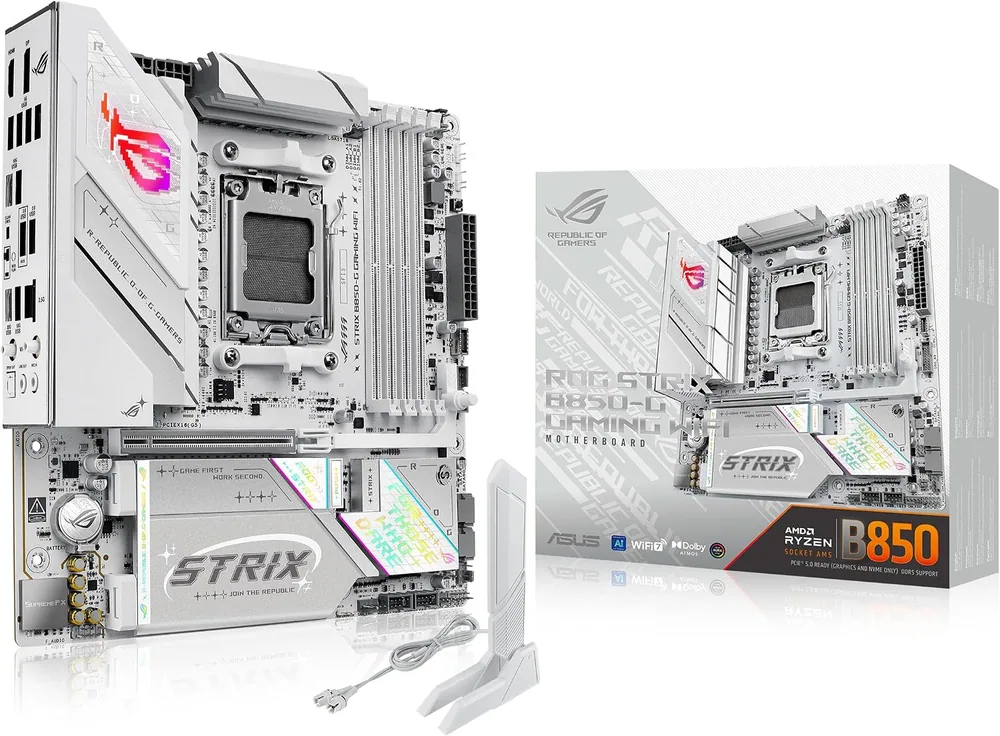
- 1× PCIe 5.0 x4, 3× PCIe 4.0 x4
- USB
- Rear 20Gbps Type-C, front 10Gbps Type-C header
- Network
- 2.5GbE LAN · Wi-Fi 7 · Bluetooth 5.4
Pros
- Four M.2 slots
- Wi-Fi 7
- BIOS FlashBack
- 20Gbps rear USB-C
Cons
- Single PCIe slot
- No USB4
- Two SATA ports
The ROG Strix B850-G Gaming WiFi fits four M.2 slots into Micro-ATX, and TechPowerUp found all four run without bandwidth sharing — rare at this size. It adds Wi-Fi 7, a 20Gbps rear USB-C port, a 10Gbps front USB-C header, two 8-pin CPU connectors and BIOS FlashBack, in a white and silver colorway.
Strix B850-G vs ASRock B850M: storage or expansion
The ASRock keeps a second PCIe slot and four SATA ports. The Strix trades those for an extra M.2 slot, Wi-Fi 7 and stronger CPU power. Detail in our Micro-ATX guide.
One expansion slot, two SATA ports
One expansion slot, no USB4, two SATA ports.
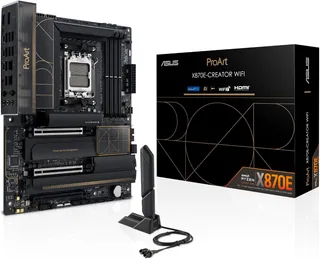
5. ASUS ProArt X870E-Creator WiFi – Best for Creators
Specifications
- Socket
- AM5
- Chipset
- AMD X870E
- Memory
- 4× DDR5, ECC and non-ECC unbuffered
- Power
- 16+2+2 power stages (80A Vcore/SoC)
- M.2
- 2× PCIe 5.0 x4, 2× PCIe 4.0 x4
- Network
- 10GbE + 2.5GbE LAN · Wi-Fi 7
Pros
- 10GbE + 2.5GbE
- Dual USB4
- x8/x8 PCIe 5.0 slots
- ECC memory support
Cons
- Gen5 M.2 #2 shares lanes with GPU slots
- No optical audio out
- Limited boot-debug information (reviewer note)
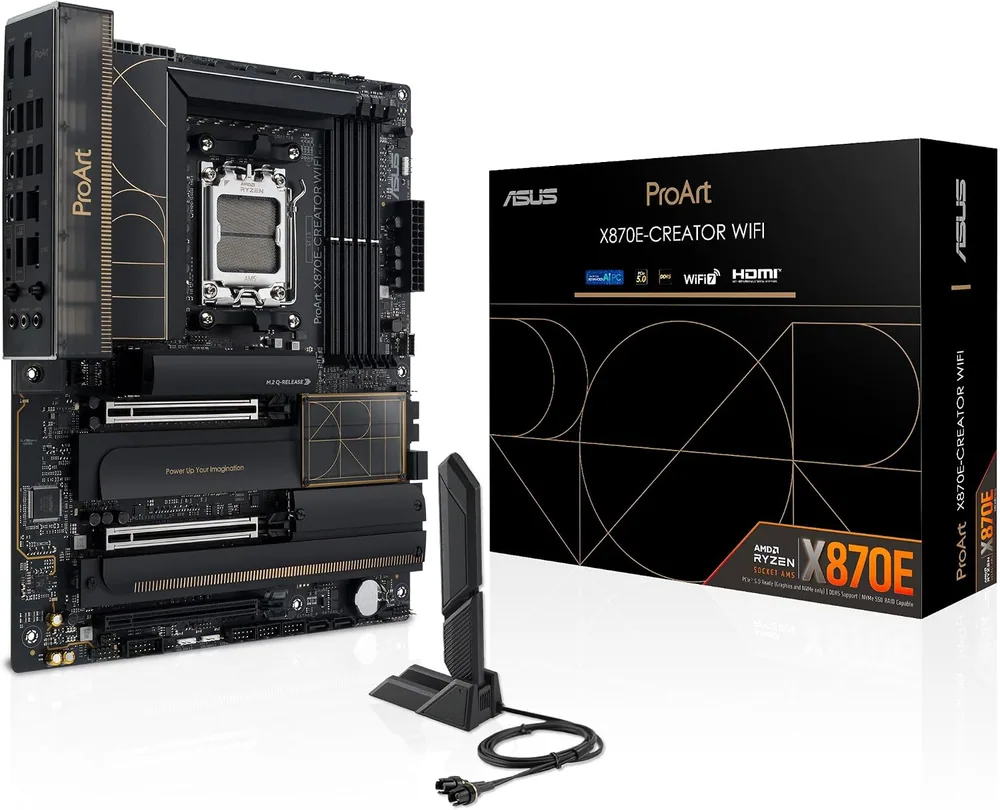
The ProArt X870E-Creator WiFi uses X870E's extra lanes for workstation features: 10GbE plus 2.5GbE, two USB4 ports, two PCIe 5.0 x16 slots that split x8/x8, and ECC memory support. ASUS lists 16 (80A) + 2 (80A) + 2 power stages.
Lane sharing to plan around
Using the second Gen5 M.2 slot changes the graphics slots to x8/x4. There's no optical audio output.
Built for NAS and capture-card workflows
Editors and 3D artists who work from a NAS or need a capture card. Full comparison in the best motherboards for content creation.
6. ASUS ROG Crosshair X870E Hero – Best High-End
Specifications
- Socket
- AM5
- Chipset
- AMD X870E
- Power
- 18+2+2 power stages (110A Vcore/SoC)
- M.2
- 3× PCIe 5.0 x4, 2× PCIe 4.0 x4
- USB4
- 2× 40Gbps Type-C (rear)
- Network
- 5GbE + 2.5GbE LAN · Wi-Fi 7
Pros
- Three Gen5 M.2 slots
- Dual LAN and dual USB4
- Q-Code, FlashBack, Clear CMOS
- 60W front USB-C
Cons
- Gen5 M.2 #2/#3 reduce GPU slot to x8
- No 10GbE
- Sparse accessories
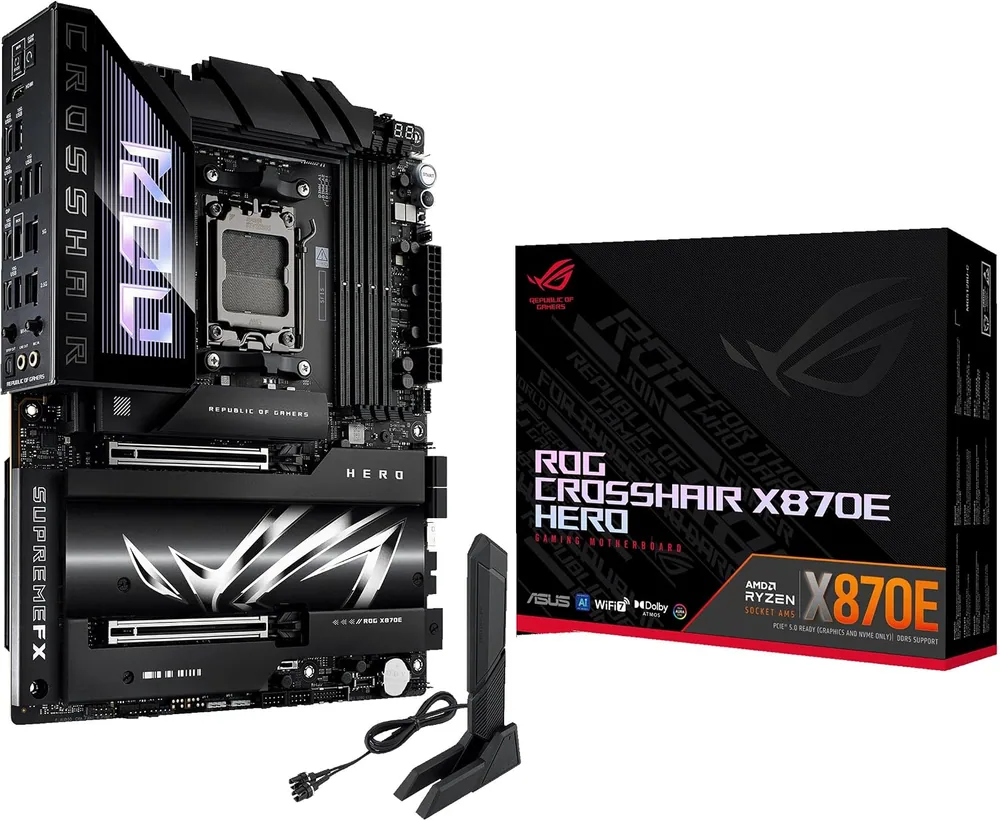
The Crosshair X870E Hero is the AM5 board for builders who want the most of everything: five M.2 slots with three on Gen5, dual LAN, dual USB4, a 60W front USB-C header and power stages ASUS rates at 18 (110A) + 2 (110A) + 2 (80A). Reviewers at KitGuru and Guru3D praised its power delivery and cooling.
The catch with all that storage
Filling the second or third M.2 slot drops the main graphics slot to x8. TechPowerUp also found the accessory bundle thin for the class, and there's no 10GbE.
Best paired with a Ryzen 9 you plan to tune
A Ryzen 9 you plan to tune — see the best boards for the 9950X.
AM5 boards we considered and left out
- Gigabyte X870 Aorus Elite WiFi7: filling its second or third M.2 slot drops the graphics slot to x8, and it has 2.5GbE and 160MHz Wi-Fi 7. The B850 Tomahawk MAX keeps its Gen5 slots off the GPU's lanes with 5GbE.
- MSI B850 Tomahawk MAX WiFi II: adds a 64MB BIOS chip and optical audio, but MSI rates its memory at DDR5-8200+ versus 8400+ on the MAX we recommend.
- MSI B850M Mortar MAX WiFi: not available new on Amazon US from Amazon or an authorized seller when we checked.
- ASUS ROG Strix B850-I Gaming WiFi: its Amazon listing had the wrong model number and box contents, so we couldn't verify it.
How to decide between them
Start with USB4
If you use fast external SSDs or a USB4 dock, choose an X870E board (Tomahawk, ProArt or Hero). If not, a B850 board loses nothing that matters.
Then count your drives
One or two SSDs: any board here. Three or more fast drives: the X870E Tomahawk (four x4 slots) or the Hero (five slots) — but read their sharing notes above.
Then choose ATX or Micro-ATX
Micro-ATX means the ASRock (more expansion, lower cost) or the Strix B850-G (more storage, Wi-Fi 7).
Check your CPU's lane count
With a Ryzen 8000-series chip, some slots slow down or switch off. CPU compatibility shows how to check.
FAQs
Is B850 good enough for gaming?
Yes. B850 supports Ryzen 9000, PCIe 5.0 storage and CPU overclocking, and boards like the B850 Tomahawk MAX also give the graphics slot PCIe 5.0. See X870E vs X870 vs B850.
Do AM5 boards support DDR4?
No. AM5 is DDR5-only.
Will an AM5 board need a BIOS update for a new Ryzen CPU?
It might if the board shipped with older firmware. Every board here has a Flashback button for updating without a CPU — here's how.
What's the best AM5 board for the Ryzen 7 9800X3D?
For most builds, the B850 Tomahawk MAX WiFi. Our 9800X3D guide covers the alternatives.
Best AM5 motherboards: final call
If you want one AM5 board that covers almost every build, choose the MSI X870E Tomahawk WiFi. For a gaming PC, the B850 Tomahawk MAX WiFi gives you the same GPU and Gen5 storage setup without paying for USB4. On a tight budget, the ASRock B850M Pro RS WiFi keeps BIOS Flashback and PCIe 5.0. Small case? The ROG Strix B850-G. Creators should go ProArt X870E-Creator, and enthusiasts the Crosshair X870E Hero.
Comparing with Intel? See AM5 vs LGA1851, the best Intel LGA1851 motherboards or our full best motherboards guide.