
Form & Budget
3 Best Mini-ITX Motherboards
A Mini-ITX board has room for one graphics card, two memory sticks and usually two SSDs. That makes the ports on the back more important than on any other size, because there's nowhere inside the case to add what the board leaves out.
Disclosure: As an Amazon Associate I earn from qualifying purchases. Product picks come from manufacturer documentation and independent reviews; we have not tested these boards ourselves.
Mini-ITX boards measure 170 × 170 mm — roughly half the area of ATX. Every board here has a single PCIe 5.0 x16 slot, two DDR5 slots and two M.2 slots, so they don't differ much on expansion. They differ on what you can plug in from the outside, wired networking, CPU power and color.
That's why our picks are split by connection: USB4 for fast external drives on AMD, 5GbE and stronger CPU power on AMD, and Thunderbolt 4 for an Intel build.
Our Mini-ITX picks
The Strix X870-I is the best-connected AM5 Mini-ITX board, the B850I Edge TI is the one we'd pick for a Ryzen 9, and the B860I Aorus Pro ICE is the Intel choice.
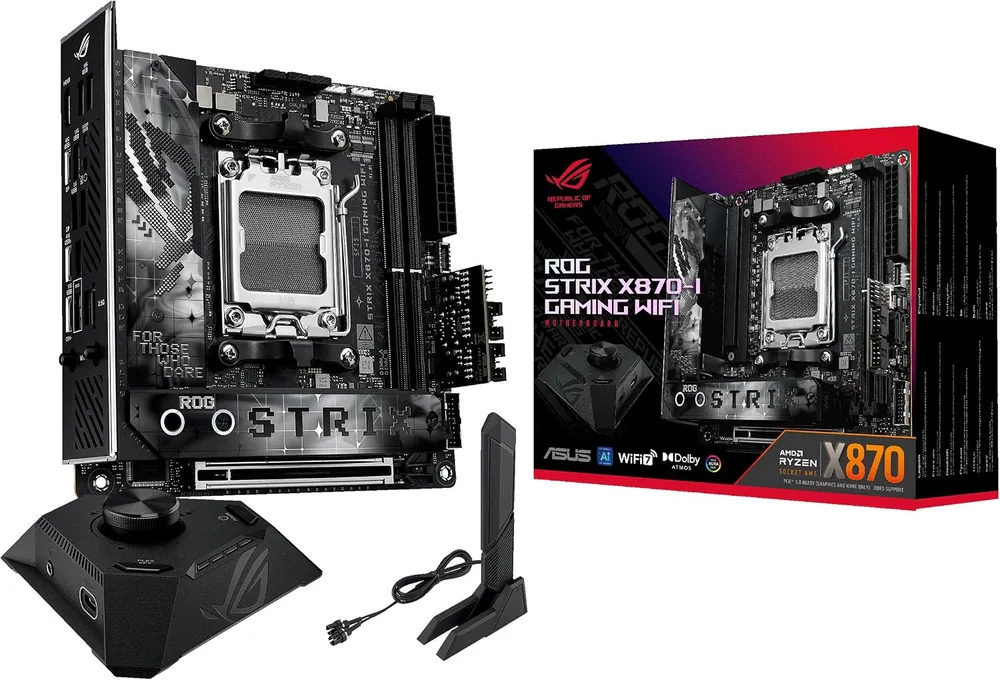
ASUS ROG Strix X870-I Gaming WiFi
- X870
- 2× USB4
- Wi-Fi 7
- Gen5 M.2
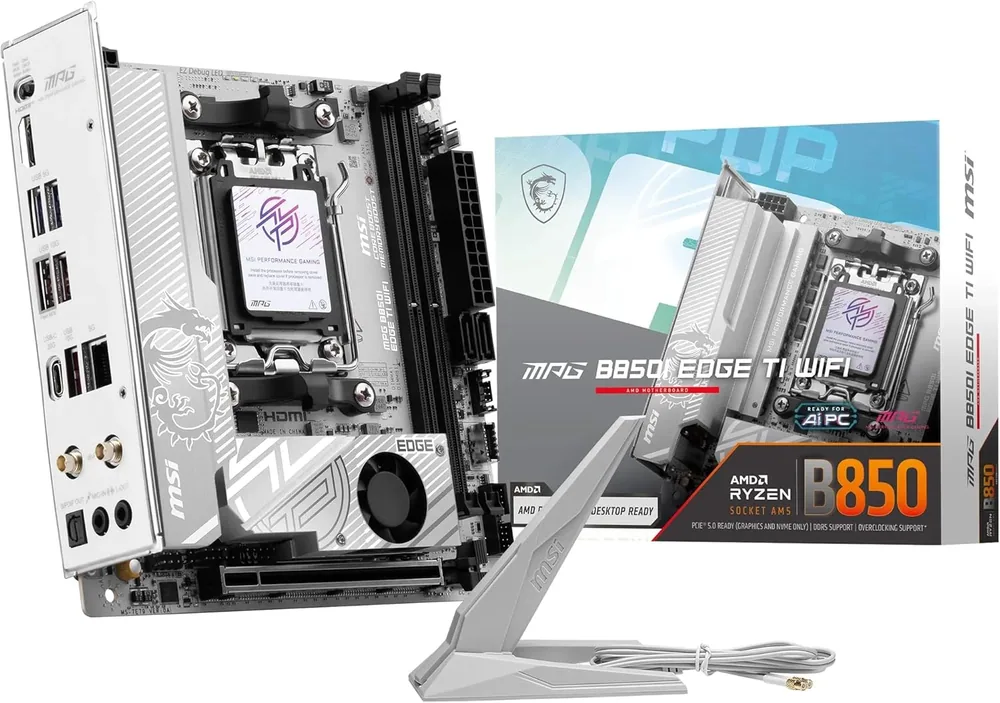
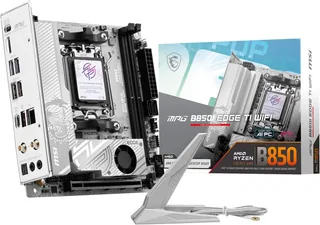
MSI MPG B850I Edge TI WiFi
- B850
- 5GbE
- 2× 8-pin
- White
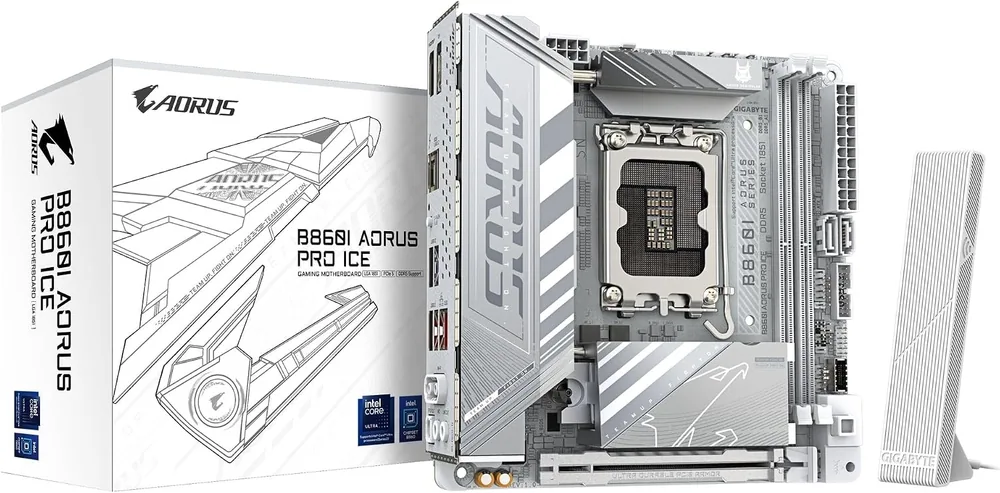
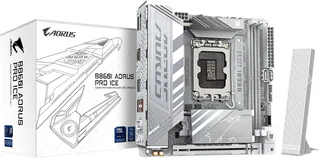
Gigabyte B860I Aorus Pro ICE
- B860
- Thunderbolt 4
- Q-Flash Plus
- White
Mini-ITX motherboards compared
| ROG Strix X870-I | MPG B850I Edge TI | B860I Aorus Pro ICE | |
|---|---|---|---|
| Platform | AM5 · X870 | AM5 · B850 | LGA1851 · B860 |
| M.2 | 1× Gen5, 1× Gen4 | 1× Gen5, 1× Gen4 | 1× Gen5, 1× Gen4 (rear of board) |
| 40Gbps ports | 2× USB4 | None | 1× Thunderbolt 4 |
| Wired network | 2.5GbE | 5GbE | 2.5GbE |
| CPU power | 1× 8-pin | 2× 8-pin | 1× 8-pin |
| SATA | 2 (via included card) | 2 | 2 |
| BIOS without a CPU | FlashBack button | Flash BIOS button | Q-Flash Plus button |
| Color | Black and silver | White and silver | White |
| Product | Key specifications | Buy |
|---|---|---|
 Best overallASUS ROG Strix X870-I Gaming WiFi |
| View on Amazon |
 Best for Ryzen 9MSI MPG B850I Edge TI WiFi |
| View on Amazon |
 Best IntelGigabyte B860I Aorus Pro ICE |
| View on Amazon |
1. ASUS ROG Strix X870-I Gaming WiFi – Best Overall
Editor's choice Specifications
- Socket
- AM5
- Chipset
- AMD X870
- Memory
- 2× DDR5, up to 128GB
- M.2
- 1× PCIe 5.0 x4, 1× PCIe 4.0 x4
- USB4
- 2× 40Gbps Type-C (rear)
- Network
- 2.5GbE · Wi-Fi 7 · Bluetooth 5.4
Pros
- Two rear USB4 ports
- PCIe 5.0 graphics slot and Gen5 M.2
- Wi-Fi 7 with 320MHz support
- BIOS FlashBack and Clear CMOS buttons
Cons
- Only two M.2 slots and two DIMM slots
- SATA requires the included FPS Card
- Single 8-pin CPU connector
In a small case you can't add a drive bay or a USB card later, so two rear USB4 ports are the most useful thing a Mini-ITX board can have. The Strix X870-I pairs them with a Gen5 M.2 slot, a PCIe 5.0 graphics slot and Wi-Fi 7 with 320MHz channel support.
The Strix Hive II box
ASUS includes a small desktop control box that connects to the board and adds two 10Gbps USB ports within reach — handy when the case is tucked under a desk or TV.
SATA needs the included FPS Card
The two SATA ports only work with the ROG FPS Card installed. If you only use M.2 drives, you can ignore it.
Single 8-pin CPU power
Fine for a Ryzen 7 such as the 9800X3D. For a 16-core Ryzen 9 in a small case, we'd prefer the Edge TI's two connectors.
2. MSI MPG B850I Edge TI WiFi – Best for Ryzen 9
Specifications
- Socket
- AM5
- Chipset
- AMD B850
- Memory
- 2× DDR5, up to 128GB
- M.2
- 1× PCIe 5.0 x4, 1× PCIe 4.0 x4
- Fastest USB
- 20Gbps Type-C (rear)
- Network
- 5GbE · Wi-Fi 7 · Bluetooth 5.4
Pros
- 5GbE and Wi-Fi 7
- Two 8-pin CPU power connectors
- Flash BIOS and Clear CMOS buttons
- White and silver colorway
Cons
- No USB4
- Two M.2 slots, two SATA ports
The MPG B850I Edge TI WiFi gives up USB4 in exchange for two things the X870-I lacks: two 8-pin CPU power connectors and 5GbE. That makes it the AM5 Mini-ITX board we'd choose for a Ryzen 9 9950X or a home network faster than 2.5GbE.
Recovery tools in a small case
A Flash BIOS button, a Clear CMOS button and EZ Debug LEDs save you from pulling the build apart to diagnose or update it.
No USB4
The fastest port is a 20Gbps USB-C on the rear. If you move large files to external SSDs, choose the X870-I.
White and silver
Its white I/O cover and silver heatsinks also make it our Mini-ITX pick in the best white motherboards.
3. Gigabyte B860I Aorus Pro ICE – Best Intel
Specifications
- Socket
- LGA1851
- Chipset
- Intel B860
- Memory
- 2× DDR5, up to 128GB
- M.2
- 1× PCIe 5.0 x4, 1× PCIe 4.0 x4 (rear)
- Thunderbolt 4
- 1× 40Gbps Type-C (rear)
- Network
- 2.5GbE · Wi-Fi 7 · Bluetooth 5.4
Pros
- All-white design
- Thunderbolt 4 on Mini-ITX
- PCIe 5.0 graphics slot and Gen5 M.2
- Q-Flash Plus button
Cons
- Second M.2 slot is on the back of the board
- No CPU overclocking (B860)
- Single 8-pin CPU connector
For an Intel Core Ultra build in a small case, the B860I Aorus Pro ICE has the two features we look for first: a Thunderbolt 4 port for fast external storage and a Q-Flash Plus button to update the BIOS without a working CPU.
Why the BIOS button matters on Intel
Core Ultra 200S Plus processors need a BIOS update on 800-series boards. Q-Flash Plus installs it from a USB drive before the CPU goes in — here's how.
The second M.2 slot is on the back
It sits on the underside of the board, so fit that drive before installing the board in the case, and choose a cool-running Gen4 SSD for it.
B860 limits
No CPU overclocking and a single 8-pin CPU connector. Gigabyte also lists two different Wi-Fi 7 chips depending on the board revision. Z890 vs B860 explains what you give up.
Mini-ITX boards we left out
- ASUS ROG Strix B850-I Gaming WiFi: its Amazon US listing showed the wrong model number and box contents, so we couldn't confirm you'd receive the right board.
- ASUS ROG Strix B860-I Gaming WiFi: ASUS's spec sheet lists no BIOS FlashBack button — a real risk with Core Ultra chips that need a BIOS update.
- ASRock B850I Lightning WiFi: sold by ASRock USA on Amazon, but we couldn't read the full manufacturer specifications, so we don't recommend it yet.
How to decide between them
AMD or Intel?
AMD: the X870-I or the Edge TI. Intel: the B860I Aorus Pro ICE. AM5 vs LGA1851 covers the platform choice.
External drives or stronger CPU power?
If you use fast external SSDs, the X870-I's USB4 wins. If you're fitting a 16-core Ryzen, the Edge TI's two 8-pin connectors win.
Plan for two drives, not more
Every board here has two M.2 slots and two SATA ports. If you need more internal storage, a Micro-ATX board like the ROG Strix B850-G gives you four M.2 slots in a slightly bigger case.
Check cooler and GPU clearance
Small cases limit cooler height and graphics-card length more than the motherboard does. Measure before you buy.
FAQs
Is Mini-ITX slower than ATX?
No. All three boards have a full PCIe 5.0 x16 graphics slot. You give up expansion and memory slots, not performance.
How much memory can a Mini-ITX board take?
All three list up to 128GB across two DDR5 slots.
Do Mini-ITX boards run hot?
Components sit closer together, so case airflow matters more. The rear-mounted M.2 slot on the B860I is the spot to watch.
Best Mini-ITX motherboards: final call
For most small AM5 builds, choose the ASUS ROG Strix X870-I Gaming WiFi for its two USB4 ports. Pick the MSI MPG B850I Edge TI WiFi for a Ryzen 9, 5GbE or a white build. On Intel, the Gigabyte B860I Aorus Pro ICE gives you Thunderbolt 4 and a BIOS button in an all-white board. For a little more room, see the best Micro-ATX motherboards, or compare everything in our best motherboards guide.