
AMD
5 Best Motherboards for the Ryzen 9 9950X
The Ryzen 9 9950X is AMD's 16-core, 32-thread flagship for AM5. Any AM5 board will boot it — the real question is which board keeps it fed through long all-core workloads and gives you the storage and I/O to match.
Disclosure: As an Amazon Associate I earn from qualifying purchases. Product picks come from manufacturer documentation and independent reviews; we have not tested these boards ourselves.
AMD rates the 9950X at a 170W default TDP, with 64MB of L3 cache and an unlocked multiplier. That puts it in a different class from the 65W Ryzen 5 9600X or the gaming-focused 9800X3D. Rendering, compiling and encoding keep all 16 cores busy for minutes or hours at a time, and that's exactly when a motherboard's power delivery and cooling earn their keep.
The good news: you don't need the most expensive board on the market. You need a board with solid power delivery, two 8-pin CPU connectors, and the storage and networking your workflow uses. The five boards below cover that from a well-built B850 up to AMD's flagship-class X870E.
Top 3 picks for the Ryzen 9 9950X
If you only read one section, read this. These three cover the high end, the creator workstation and the sensible value choice.
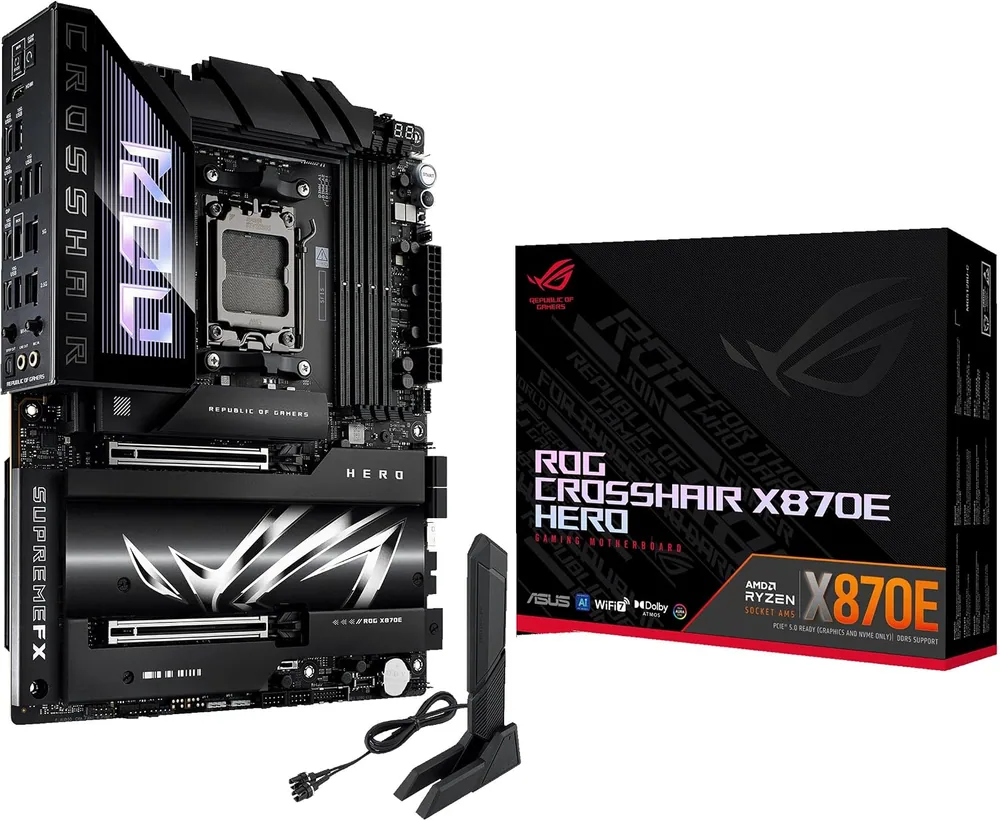
ASUS ROG Crosshair X870E Hero
- X870E
- 18+2+2 power stages
- 3× Gen5 M.2
- Dual LAN
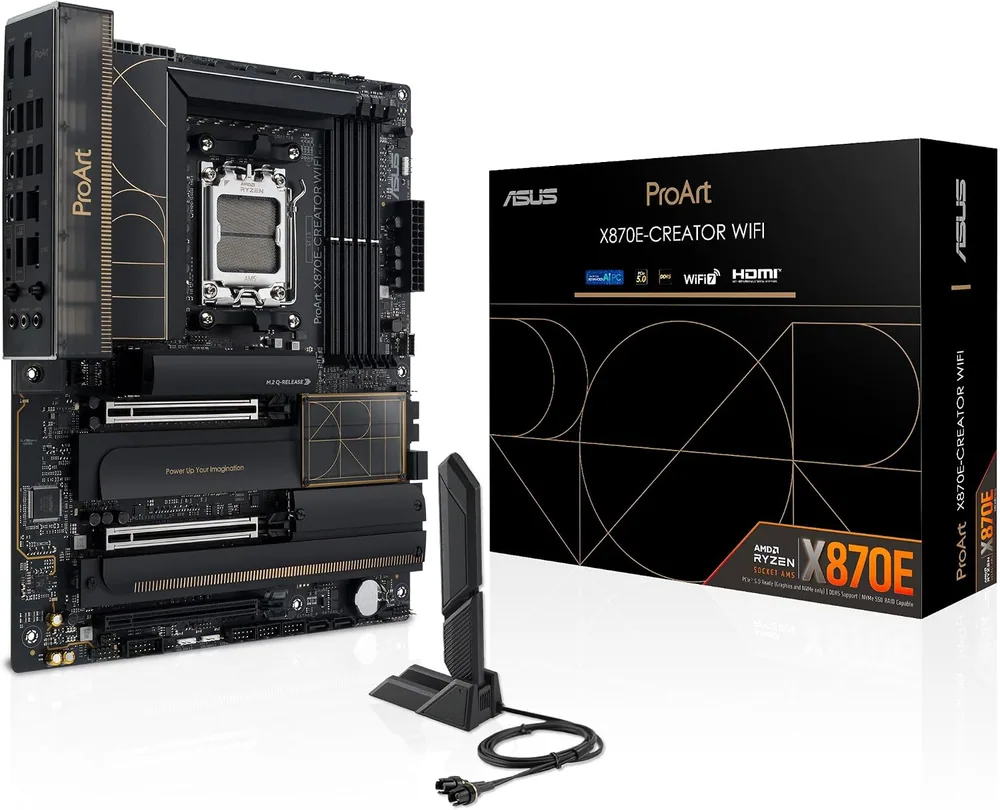
ASUS ProArt X870E-Creator WiFi
- X870E
- 10GbE + 2.5GbE
- Dual USB4
- ECC support
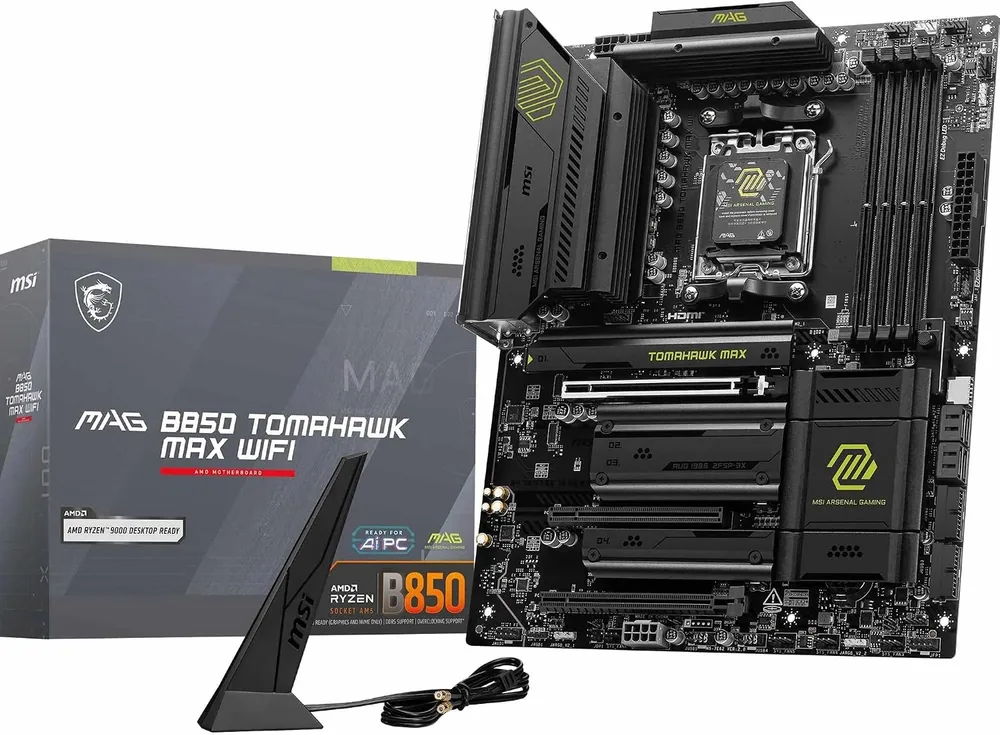
MSI MAG B850 Tomahawk MAX WiFi
- B850
- 2× Gen5 M.2
- 5GbE
- Wi-Fi 7
Best motherboards for the Ryzen 9 9950X compared
All five boards support Ryzen 9000 processors. The table shows the features that separate them for a 16-core build.
| Product | Key specifications | Buy |
|---|---|---|
 Best overallASUS ROG Crosshair X870E Hero |
| View on Amazon |
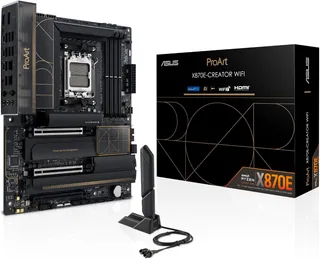 Best for workstationsASUS ProArt X870E-Creator WiFi |
| View on Amazon |
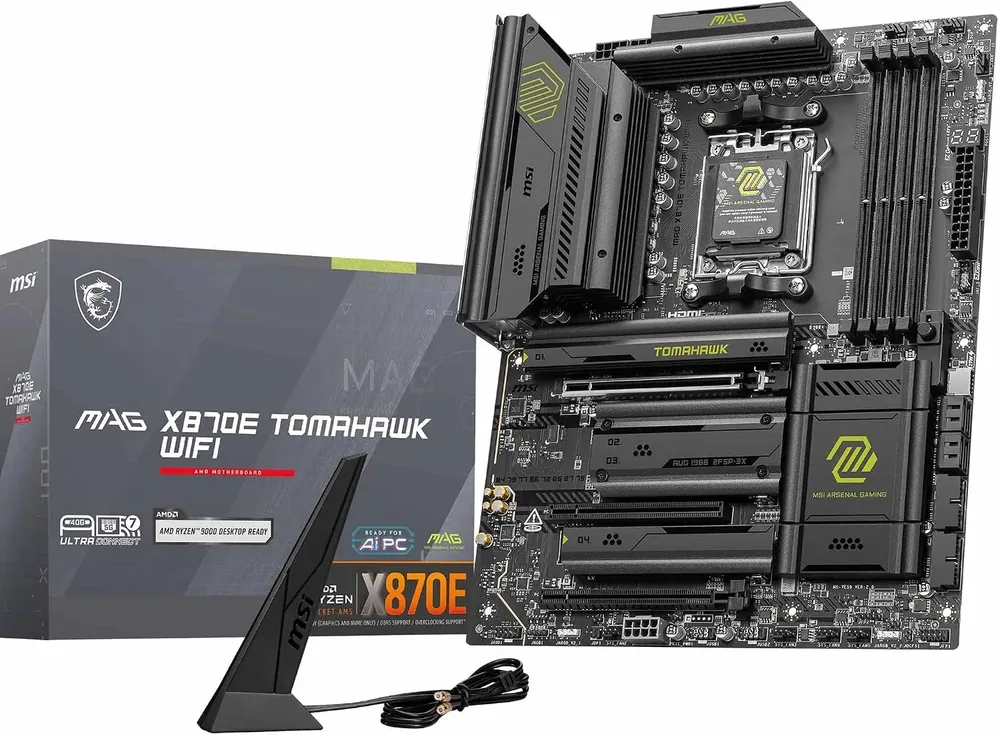
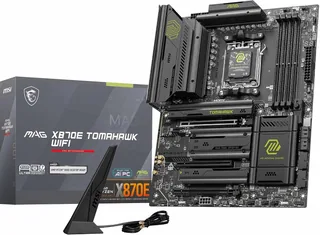 Best mid-range X870EMSI MAG X870E Tomahawk WiFi |
| View on Amazon |
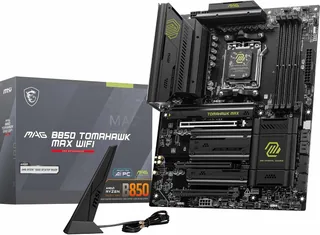 Best valueMSI MAG B850 Tomahawk MAX WiFi |
| View on Amazon |
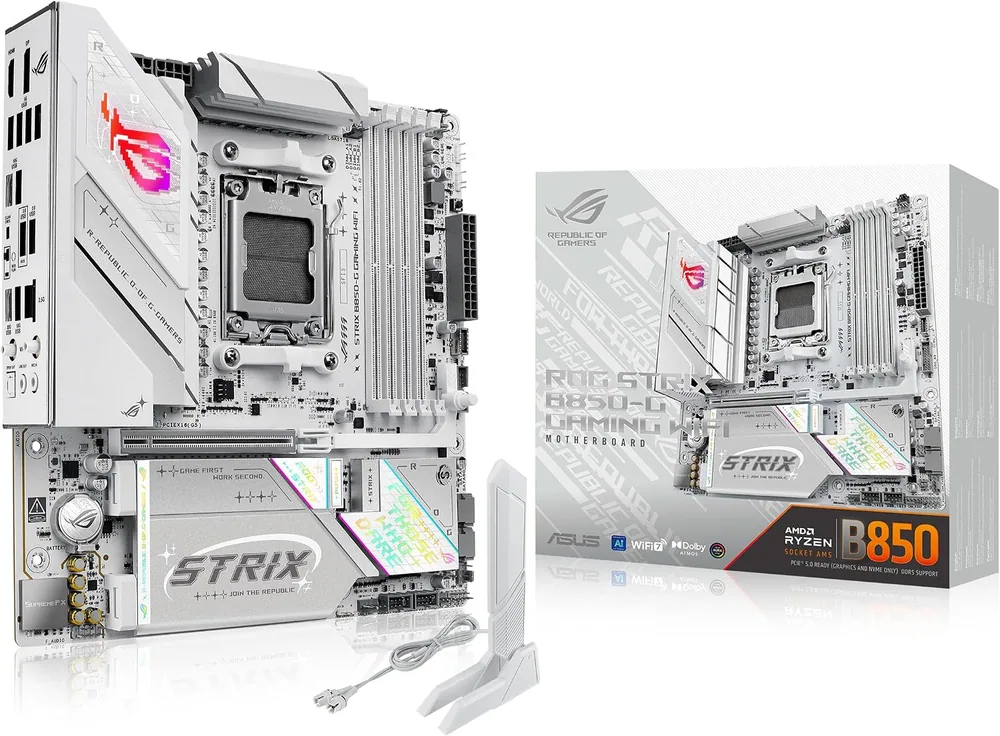
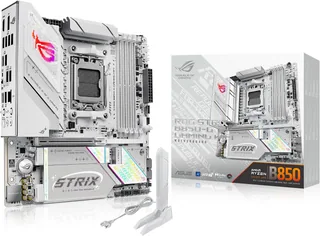 Best compactASUS ROG Strix B850-G Gaming WiFi |
| View on Amazon |
1. ASUS ROG Crosshair X870E Hero – Best Overall
Editor's choice Specifications
- Socket
- AM5
- Chipset
- AMD X870E
- Power
- 18+2+2 power stages (110A Vcore/SoC)
- M.2
- 3× PCIe 5.0 x4, 2× PCIe 4.0 x4
- USB4
- 2× 40Gbps Type-C (rear)
- Network
- 5GbE + 2.5GbE LAN · Wi-Fi 7
Pros
- Three Gen5 M.2 slots
- Dual LAN and dual USB4
- Q-Code, FlashBack, Clear CMOS
- 60W front USB-C
Cons
- Gen5 M.2 #2/#3 reduce GPU slot to x8
- No 10GbE
- Sparse accessories
If the 9950X is the centerpiece of your build, the Crosshair X870E Hero is the board that never makes you wonder whether it can keep up. ASUS rates its power stages at 18 (110A) + 2 (110A) + 2 (80A), fed by two 8-pin CPU connectors, and independent reviewers at KitGuru and Guru3D singled out the power delivery and cooling as strengths.
Storage is the other reason to pick it. Three CPU-attached PCIe 5.0 M.2 slots and two PCIe 4.0 slots from the chipset give a 16-core workstation room for a fast scratch drive, an OS drive and a project archive.
Debugging and tuning tools
A Q-Code display, rear BIOS FlashBack and Clear CMOS buttons make memory tuning and BIOS updates far less painful. If you plan to experiment with PBO or memory overclocking on the 9950X, these save real time.
The lane-sharing catch
Populating the second or third M.2 slot drops the main graphics slot to x8. For most GPUs that's a small trade, but plan your drive layout if you want the full x16. TechPowerUp also found the accessory bundle thin for a board at this level.
2. ASUS ProArt X870E-Creator WiFi – Best for Workstations
Specifications
- Socket
- AM5
- Chipset
- AMD X870E
- Memory
- 4× DDR5, ECC and non-ECC unbuffered
- Power
- 16+2+2 power stages (80A Vcore/SoC)
- M.2
- 2× PCIe 5.0 x4, 2× PCIe 4.0 x4
- Network
- 10GbE + 2.5GbE LAN · Wi-Fi 7
Pros
- 10GbE + 2.5GbE
- Dual USB4
- x8/x8 PCIe 5.0 slots
- ECC memory support
Cons
- Gen5 M.2 #2 shares lanes with GPU slots
- No optical audio out
- Limited boot-debug information (reviewer note)
The ProArt X870E-Creator is the 9950X board for people who make things for a living. It pairs the chip with 10GbE and 2.5GbE networking, two USB4 ports and two PCIe 5.0 x16 slots that split x8/x8 for a second GPU or a capture card.
ASUS lists 16 (80A) + 2 (80A) + 2 power stages. In APH Networks' 30-minute Prime95 run, the power-delivery heatsinks stayed under 50 °C on the surface with no stability issues.
Why 10GbE matters for a 16-core build
A 9950X chews through projects quickly, which makes file transfer the bottleneck. 10GbE to a NAS makes network storage feel close to local, and ECC memory support helps for long renders.
What to plan around
Using the second Gen5 M.2 slot changes the graphics slots to x8/x4, and there's no optical audio output. Our content creation guide compares it with other workstation options.
3. MSI MAG X870E Tomahawk WiFi – Best Mid-Range X870E
Specifications
- Socket
- AM5
- Chipset
- AMD X870E
- Memory
- 4× DDR5
- M.2
- 2× PCIe 5.0 x4, 2× PCIe 4.0 x4
- USB4
- 2× 40Gbps Type-C (rear)
- Network
- 5GbE LAN · Wi-Fi 7 · Bluetooth 5.4
Pros
- Dual rear USB4 ports
- Four x4 M.2 slots
- 5GbE and Wi-Fi 7
- Flash BIOS button
Cons
- Second Gen5 M.2 slot shares bandwidth with USB4
- Only one PCIe 5.0 expansion slot
The X870E Tomahawk WiFi gives a 9950X build the X870E essentials — two USB4 ports, two Gen5 M.2 slots, two full-speed Gen4 slots and 5GbE — without flagship extras. It's the board we recommend most often overall, and it's a natural match for a 16-core CPU that will spend part of its life rendering and part of it gaming.
Storage and USB4 sharing
The second Gen5 M.2 slot shares bandwidth with the rear USB4 ports: both run at PCIe 5.0 x2 when that slot is filled. You can give the slot full x4 in the BIOS, but USB4 switches off. Decide which matters more before you install drives.
Flash BIOS and Clear CMOS buttons
Rear Flash BIOS and Clear CMOS buttons are here too, which helps when you're dialing in memory profiles.
4. MSI MAG B850 Tomahawk MAX WiFi – Best Value
Specifications
- Socket
- AM5
- Chipset
- AMD B850
- Memory
- 4× DDR5
- GPU slot
- PCIe 5.0 x16
- M.2
- 2× PCIe 5.0 x4, 1× PCIe 4.0 x4, 1× PCIe 4.0 x2
- Network
- 5GbE LAN · Wi-Fi 7 · Bluetooth 5.4
Pros
- Full-bandwidth GPU slot
- Two Gen5 M.2 slots on CPU lanes
- 5GbE and Wi-Fi 7
- Flash BIOS button
Cons
- No USB4
- Third M.2 slot limited to PCIe 4.0 x2
You don't need X870E to run a 9950X well. B850 supports CPU overclocking, and the Tomahawk MAX WiFi brings two 8-pin CPU connectors, two CPU-attached Gen5 M.2 slots, 5GbE and Wi-Fi 7. For a 9950X build that doesn't need USB4, this is where we'd save money.
No USB4, slower third M.2 slot
No USB4, and the third M.2 slot runs at PCIe 4.0 x2, sharing lanes with the bottom expansion slot. For a single-GPU workstation with two fast drives, neither is likely to bite.
When the X870E Tomahawk is worth it
If you move large files over USB or need more full-speed storage, the X870E Tomahawk above is the better fit.
5. ASUS ROG Strix B850-G Gaming WiFi – Best Compact
Specifications
- Socket
- AM5
- Chipset
- AMD B850
- Memory
- 4× DDR5
- M.2
- 1× PCIe 5.0 x4, 3× PCIe 4.0 x4
- USB
- Rear 20Gbps Type-C, front 10Gbps Type-C header
- Network
- 2.5GbE LAN · Wi-Fi 7 · Bluetooth 5.4
Pros
- Four M.2 slots
- Wi-Fi 7
- BIOS FlashBack
- 20Gbps rear USB-C
Cons
- Single PCIe slot
- No USB4
- Two SATA ports
Want 16 cores in a smaller case? The ROG Strix B850-G Gaming WiFi is the Micro-ATX board we'd trust with a 9950X: two 8-pin CPU connectors, four M.2 slots that TechPowerUp found run without bandwidth sharing, Wi-Fi 7 and BIOS FlashBack.
Cooling the case matters more here
A 170W chip in a compact case needs good airflow for the CPU cooler and the board's power delivery alike. Pick a case with front intake room and a cooler sized for the job.
One expansion slot, two SATA ports
There's one expansion slot, no USB4 and two SATA ports. If you need a capture card alongside the GPU, go ATX.
Why these five — and the boards we left out
Our shortlist covered eight boards across AMD and Intel. For a 170W, 16-core chip we only kept boards with two 8-pin CPU power connectors and at least two Gen5-capable or four total M.2 slots. That ruled out two boards we recommend elsewhere:
- ASRock B850M Pro RS WiFi: a great budget board, but it has an 8-pin plus 4-pin CPU connector, one Gen5 M.2 slot and only one M.2 heatsink. Fine for a 65W Ryzen 5 9600X; not what we'd put under a 9950X running long renders.
- The Intel boards (Z890 Tomahawk WiFi, B860 Steel Legend WiFi) use a different socket.
Specifications come from each manufacturer's datasheet and manual; thermal and stability notes are attributed to the independent reviewers named above.
How to decide between them
Do you need USB4? Then skip the B850 boards
The Hero, ProArt and X870E Tomahawk all have two rear USB4 ports. The B850 Tomahawk MAX and Strix B850-G have none. If you move footage or projects on external 40Gbps SSDs, that settles it.
Do you need 10GbE? Then it's the ProArt
Only the ProArt X870E-Creator has 10GbE. The Hero's second port is 5GbE; everything else is 5GbE or 2.5GbE.
Count your fast drives
The Hero has three CPU-attached Gen5 M.2 slots; the ProArt, X870E Tomahawk and B850 Tomahawk have two; the Strix B850-G has one. But on the Hero, filling the second or third slot drops the GPU slot to x8, and on the ProArt the second Gen5 slot splits the graphics slots to x8/x4. For a single-GPU build with two fast drives, the X870E Tomahawk avoids those trade-offs entirely — its second Gen5 slot shares with USB4 instead.
Memory capacity changes the speed
AM5 is DDR5-only, and advertised overclocked speeds usually apply to one module per channel. If your workloads need four modules for 128GB or more, plan on lower memory speeds than the box suggests.
Three mistakes 9950X builders make
Pairing it with an entry board. A board with one 8-pin CPU connector and small heatsinks may run the chip, but sustained all-core rendering is exactly where entry boards are weakest.
Filling every M.2 slot without reading the manual. On two of these five boards, the wrong slot costs you GPU bandwidth.
Not checking the BIOS version. A board from older stock may need an update before it recognizes the 9950X — every board here has a Flashback button, and our BIOS guide shows how to use it.
FAQs
Can a B850 motherboard handle the Ryzen 9 9950X?
Yes. B850 supports Ryzen 9000 processors and CPU overclocking. Choose a well-built B850 board with two 8-pin CPU connectors, such as the B850 Tomahawk MAX WiFi.
Do I need X870E for a 9950X?
Not for performance. X870E is worth it for USB4 and extra PCIe 5.0 lanes. If you don't need those, B850 saves money without slowing the CPU.
Does the 9950X support DDR4?
No. The 9950X uses the AM5 socket, which supports DDR5 only.
Will my AM5 board need a BIOS update for the 9950X?
Possibly, if the board shipped with older firmware. Check the board's CPU support list for the minimum BIOS version — our compatibility guide explains how.
Best motherboards for the Ryzen 9 9950X: final call
For a no-compromise 16-core build, the ASUS ROG Crosshair X870E Hero is our pick: heavy power delivery, three Gen5 M.2 slots and the tools to tune the chip. Creators who live on a NAS should choose the ProArt X870E-Creator WiFi for its 10GbE and dual USB4. If you want X870E features at a more sensible level, the MSI X870E Tomahawk WiFi is the all-rounder, and the B850 Tomahawk MAX WiFi proves you don't need X870E to run a 9950X well. Building small? The ROG Strix B850-G Gaming WiFi is the Micro-ATX board to trust.
Gaming first? See the best motherboard for the Ryzen 7 9800X3D, or compare every pick in our best motherboards guide.