
AMD
4 Best Motherboards for the Ryzen 7 9800X3D
The 9800X3D is a gaming CPU, so the right motherboard is the one that gives your graphics card full bandwidth and leaves money for a faster GPU — not the one with the biggest heatsinks.
Disclosure: As an Amazon Associate I earn from qualifying purchases. Product picks come from manufacturer documentation and independent reviews; we have not tested these boards ourselves.
The Ryzen 7 9800X3D belongs to AMD's Ryzen 9000 series on AM5, and every board below lists Ryzen 9000 support. Beyond compatibility, the motherboard has very little effect on how fast your games run. In The FPS Review's comparison of the B850 Tomahawk MAX and MAX II, for example, benchmark differences were within the margin of error. Frame rates come from the CPU and the graphics card.
That changes how to shop. For a 9800X3D, look for three things: a PCIe 5.0 x16 graphics slot that doesn't lose bandwidth when you add SSDs, a fast M.2 slot on its own CPU lanes for your game library, and networking that suits how you play online. Everything else is about convenience and future plans.
Top 3 picks for the Ryzen 7 9800X3D
The B850 Tomahawk MAX is the board we'd buy for a 9800X3D gaming PC. The X870E Tomahawk adds USB4, and the ASRock frees up budget for the GPU.
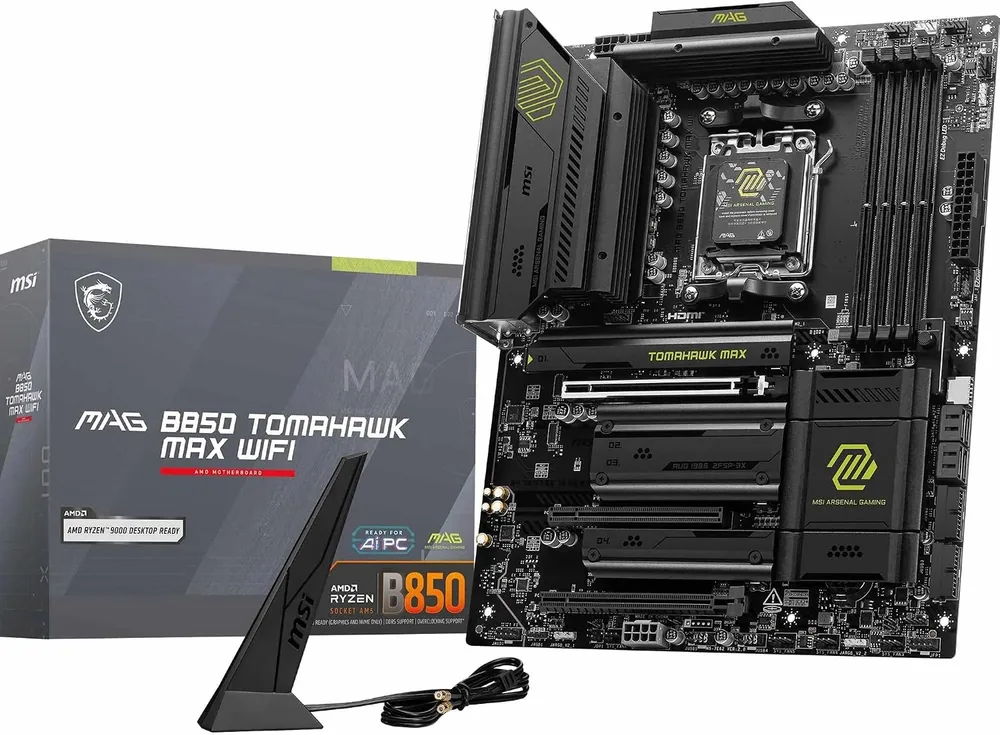
MSI MAG B850 Tomahawk MAX WiFi
- B850
- Gen5 x16 GPU slot
- 2× Gen5 M.2
- 5GbE
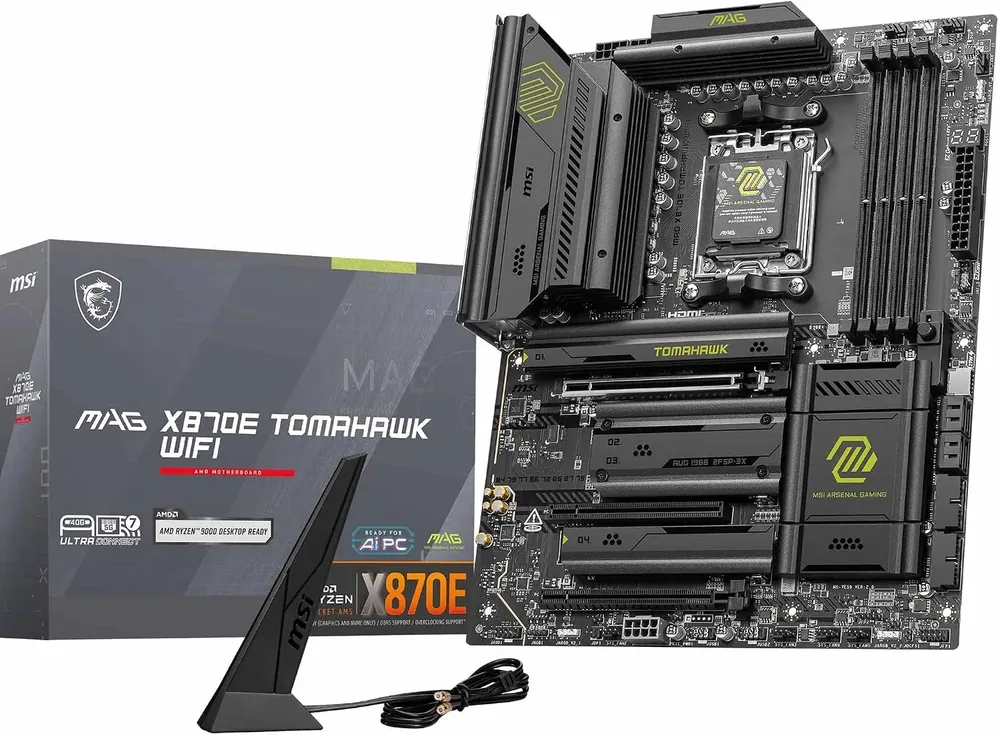
MSI MAG X870E Tomahawk WiFi
- X870E
- 2× USB4
- 4× x4 M.2
- Wi-Fi 7
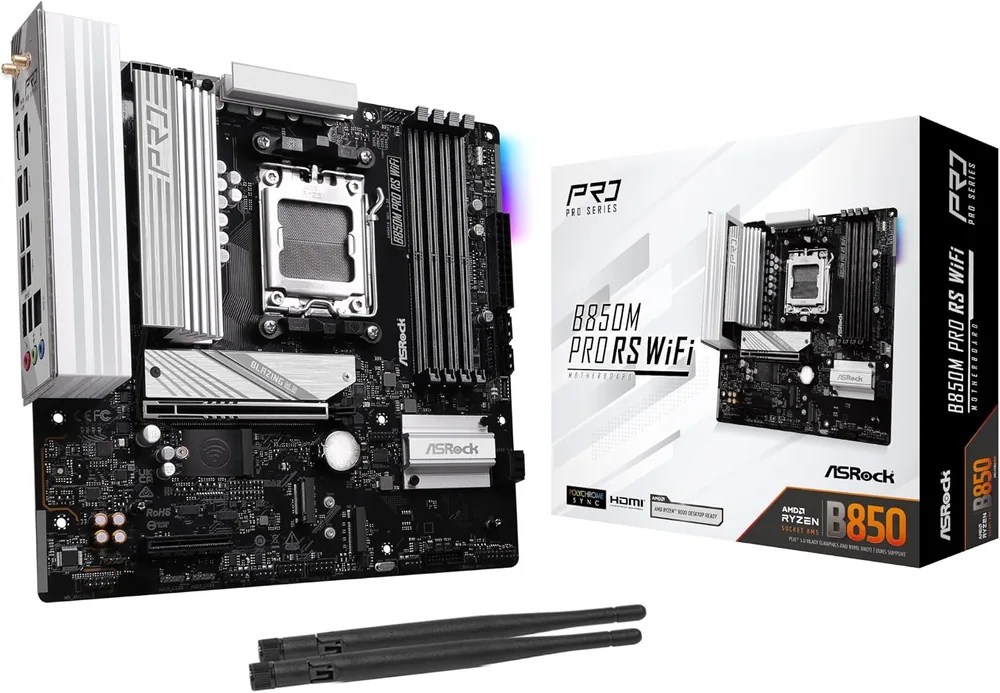
ASRock B850M Pro RS WiFi
- B850
- Micro-ATX
- BIOS Flashback
- Gen5 M.2
The best 9800X3D motherboards compared
| Product | Key specifications | Buy |
|---|---|---|
 Best overallMSI MAG B850 Tomahawk MAX WiFi |
| View on Amazon |
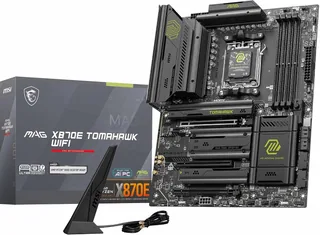 Best with USB4MSI MAG X870E Tomahawk WiFi |
| View on Amazon |
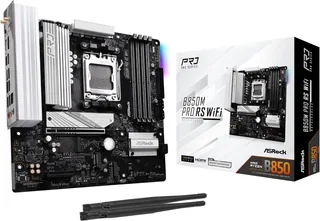 Best budgetASRock B850M Pro RS WiFi |
| View on Amazon |
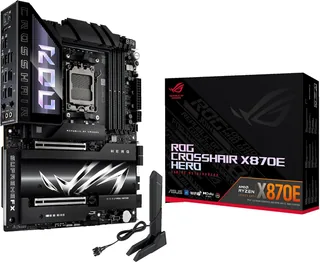 Best high-endASUS ROG Crosshair X870E Hero |
| View on Amazon |
1. MSI MAG B850 Tomahawk MAX WiFi – Best Overall
Editor's choice Specifications
- Socket
- AM5
- Chipset
- AMD B850
- Memory
- 4× DDR5
- GPU slot
- PCIe 5.0 x16
- M.2
- 2× PCIe 5.0 x4, 1× PCIe 4.0 x4, 1× PCIe 4.0 x2
- Network
- 5GbE LAN · Wi-Fi 7 · Bluetooth 5.4
Pros
- Full-bandwidth GPU slot
- Two Gen5 M.2 slots on CPU lanes
- 5GbE and Wi-Fi 7
- Flash BIOS button
Cons
- No USB4
- Third M.2 slot limited to PCIe 4.0 x2
This is the board we'd put under a 9800X3D. Its PCIe 5.0 x16 graphics slot and two Gen5 M.2 slots each have their own CPU lanes, so you can fill both fast drives and the GPU still runs at full x16 — something the Crosshair Hero and the Gigabyte X870 Aorus Elite can't promise.
Networking for online play
5GbE is more than most home connections need, and Wi-Fi 7 covers rooms where you can't run a cable — as long as your router supports it.
What you're not paying for
No USB4. For a gaming PC without fast external drives, that's the right thing to leave out.
2. MSI MAG X870E Tomahawk WiFi – Best with USB4
Specifications
- Socket
- AM5
- Chipset
- AMD X870E
- Memory
- 4× DDR5
- M.2
- 2× PCIe 5.0 x4, 2× PCIe 4.0 x4
- USB4
- 2× 40Gbps Type-C (rear)
- Network
- 5GbE LAN · Wi-Fi 7 · Bluetooth 5.4
Pros
- Dual rear USB4 ports
- Four x4 M.2 slots
- 5GbE and Wi-Fi 7
- Flash BIOS button
Cons
- Second Gen5 M.2 slot shares bandwidth with USB4
- Only one PCIe 5.0 expansion slot
Choose the X870E Tomahawk if your gaming PC doubles as a workstation or you capture and move a lot of footage. It keeps the B850 Tomahawk's core layout and adds two rear USB4 ports plus two full-speed Gen4 M.2 slots.
Second Gen5 slot shares with USB4, not the GPU
The second Gen5 M.2 slot shares bandwidth with the USB4 ports: both run at PCIe 5.0 x2 when it's in use. Your graphics slot isn't affected.
Should a gamer pay for it?
Only if you'll use USB4. It doesn't make games faster.
3. ASRock B850M Pro RS WiFi – Best Budget
Specifications
- Socket
- AM5
- Chipset
- AMD B850
- Memory
- 4× DDR5
- M.2
- 1× PCIe 5.0 x4, 2× PCIe 4.0 x4
- BIOS
- BIOS Flashback button
- Network
- 2.5GbE LAN · Wi-Fi 6E · Bluetooth 5.2
Pros
- PCIe 5.0 GPU and M.2 slots
- BIOS Flashback
- Four DDR5 slots
- Wi-Fi 6E included
Cons
- Only one M.2 heatsink
- Front USB-C limited to 5Gbps
- Third M.2 disables PCIE2
A 9800X3D paired with a stronger graphics card will out-game a 9800X3D on a flagship board with a weaker GPU. The ASRock B850M Pro RS WiFi lets you make that trade without losing the essentials: a PCIe 5.0 x16 graphics slot, a Gen5 M.2 slot and a BIOS Flashback button.
Check your firmware first
Budget boards are the ones most likely to sit in stock with older firmware. Flashback means you can update before the CPU goes in — here's how.
Wi-Fi 6E, one heatsink, shared PCIe slot
Wi-Fi 6E, one M.2 heatsink, a 5Gbps front USB-C header, and the third M.2 slot disables the second PCIe slot.
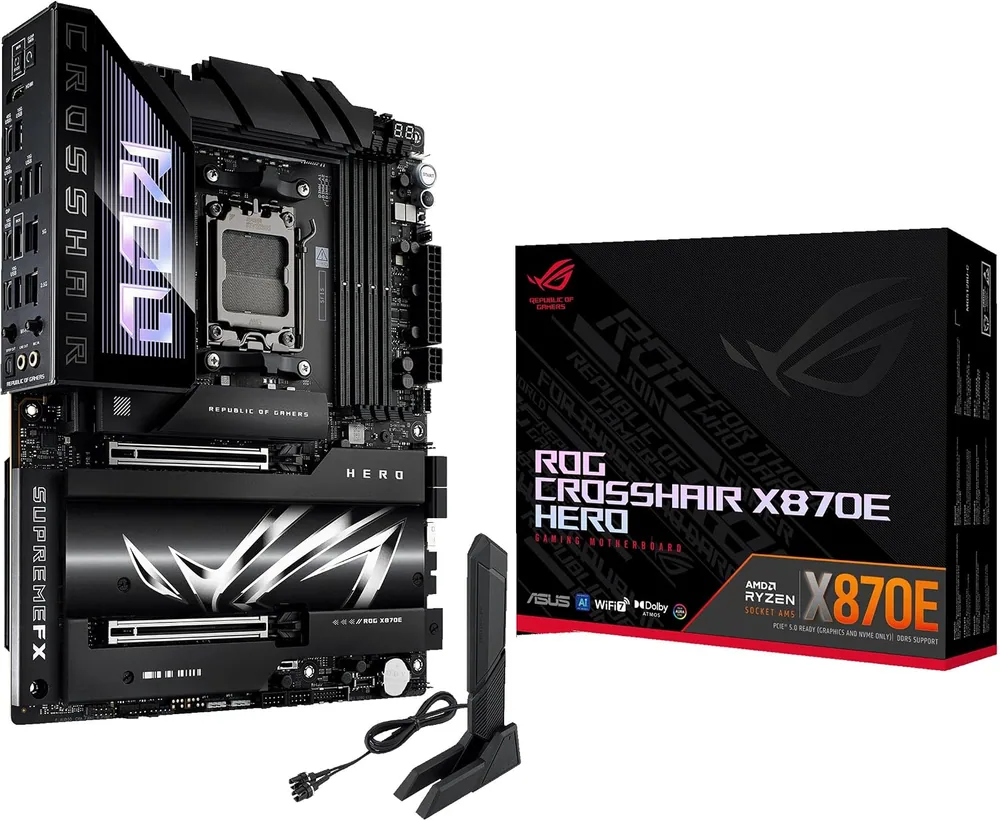
4. ASUS ROG Crosshair X870E Hero – Best High-End
Specifications
- Socket
- AM5
- Chipset
- AMD X870E
- Power
- 18+2+2 power stages (110A Vcore/SoC)
- M.2
- 3× PCIe 5.0 x4, 2× PCIe 4.0 x4
- USB4
- 2× 40Gbps Type-C (rear)
- Network
- 5GbE + 2.5GbE LAN · Wi-Fi 7
Pros
- Three Gen5 M.2 slots
- Dual LAN and dual USB4
- Q-Code, FlashBack, Clear CMOS
- 60W front USB-C
Cons
- Gen5 M.2 #2/#3 reduce GPU slot to x8
- No 10GbE
- Sparse accessories
If you want an enthusiast board for tuning memory and PBO, the Crosshair X870E Hero has the tools: a Q-Code display, rear BIOS FlashBack and Clear CMOS buttons, three Gen5 M.2 slots and power delivery reviewers rate highly.
Mind the graphics slot
Populating the second or third M.2 slot drops the main graphics slot to x8. Use the first Gen5 slot and the chipset slots if you want to keep x16.
Is it worth it for gaming?
Not for frame rates. It's for builders who enjoy tuning and want the most connectivity.
Boards we left out for the 9800X3D
- ASUS ProArt X870E-Creator WiFi: 10GbE and x8/x8 expansion are workstation features a gaming build won't use.
- ASUS ROG Strix B850-G Gaming WiFi: a good choice for a small case, but its single Gen5 M.2 slot and one expansion slot make the B850 Tomahawk MAX the better 9800X3D board for most builds.
- Gigabyte X870 Aorus Elite WiFi7: filling its second or third M.2 slot drops the graphics slot to x8.
How to decide between them
Do you need X870E for a 9800X3D?
No. B850 boards with a Gen5 graphics slot give the chip everything it needs. Pay for X870E for USB4, not performance — see X870E vs X870 vs B850.
Plan your SSD slots
If you'll install two fast drives, only the B850 Tomahawk MAX and X870E Tomahawk keep the GPU at x16 with both Gen5 slots filled.
Two DDR5 modules usually run faster than four
AM5 is DDR5-only. Two modules usually reach higher rated speeds than four.
FAQs
What's the best chipset for the 9800X3D?
B850 for most gaming builds; X870E if you need USB4.
Does the 9800X3D need a BIOS update?
Possibly, if the board shipped with older firmware. Check the board's CPU support list — our compatibility guide explains how.
Will a better motherboard increase FPS?
Not meaningfully at stock settings. Spend the difference on the graphics card.
Best motherboards for the Ryzen 7 9800X3D: final call
For most 9800X3D builds, buy the MSI MAG B850 Tomahawk MAX WiFi: full GPU bandwidth even with two fast SSDs, 5GbE and Wi-Fi 7. Choose the X870E Tomahawk WiFi only if you'll use USB4, the ASRock B850M Pro RS WiFi to put more into your graphics card, and the Crosshair X870E Hero if you want to tune. See every AM5 option in the best AM5 motherboards, or all platforms in our best motherboards guide.