
Use Cases
5 Best Motherboards for Content Creation
A creator PC lives or dies by how fast it moves files. The right motherboard here isn't the one with the flashiest heatsinks — it's the one with the networking, external I/O and storage layout your workflow actually uses.
Disclosure: As an Amazon Associate I earn from qualifying purchases. Product picks come from manufacturer documentation and independent reviews; we have not tested these boards ourselves.
Gaming boards and creator boards overlap, but they're judged differently. For gaming, the graphics slot is what matters. For video editing, 3D and photography, the bottlenecks are elsewhere: copying footage off cards and drives, pulling projects from a NAS, and keeping cache and scratch files on fast NVMe storage.
That shifts the priorities to four things: fast wired networking, 40Gbps external ports (USB4 or Thunderbolt 4), plenty of full-speed M.2 slots, and room for a second card such as a capture card or a second GPU. The five boards below cover AMD and Intel, from a dedicated workstation board down to a value Intel option.
Top 3 picks for content creation
Start here: a purpose-built creator board, the best-value AMD all-rounder and the Intel choice with two Thunderbolt 4 ports.
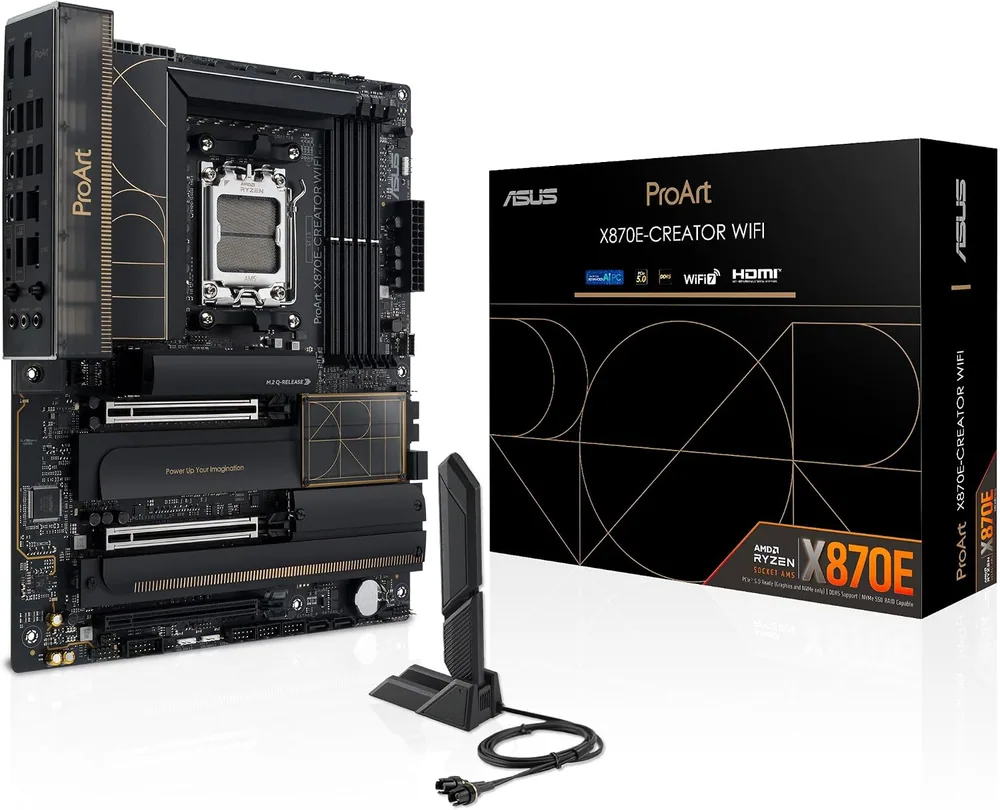
ASUS ProArt X870E-Creator WiFi
- 10GbE + 2.5GbE
- Dual USB4
- x8/x8 PCIe 5.0
- ECC support
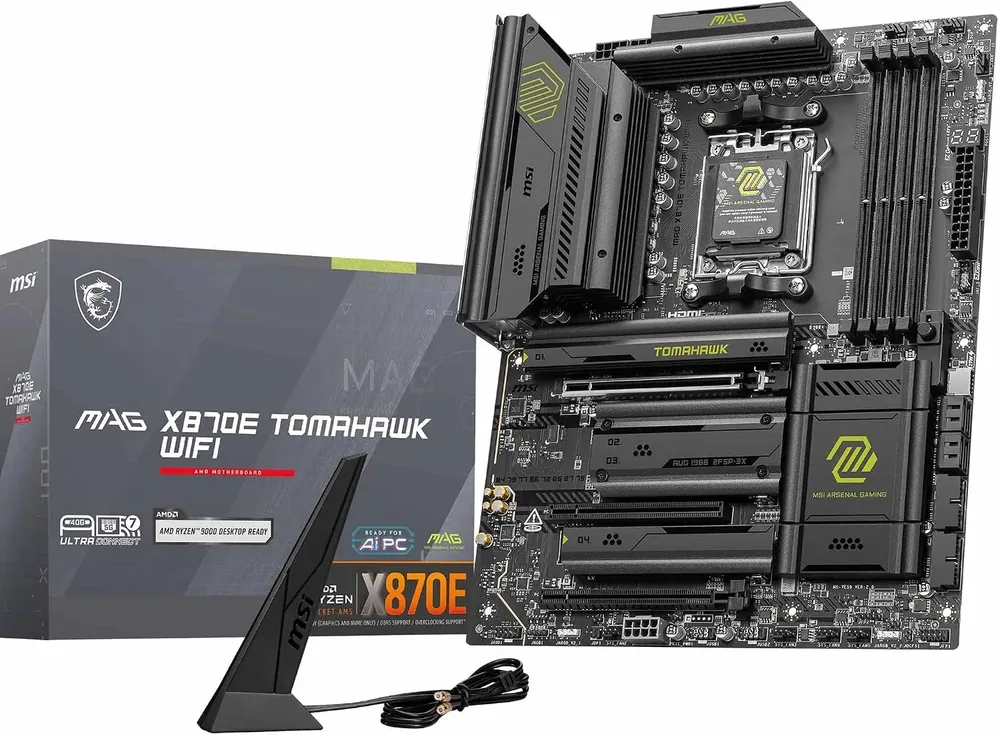
MSI MAG X870E Tomahawk WiFi
- Dual USB4
- 4× x4 M.2
- 5GbE
- Wi-Fi 7
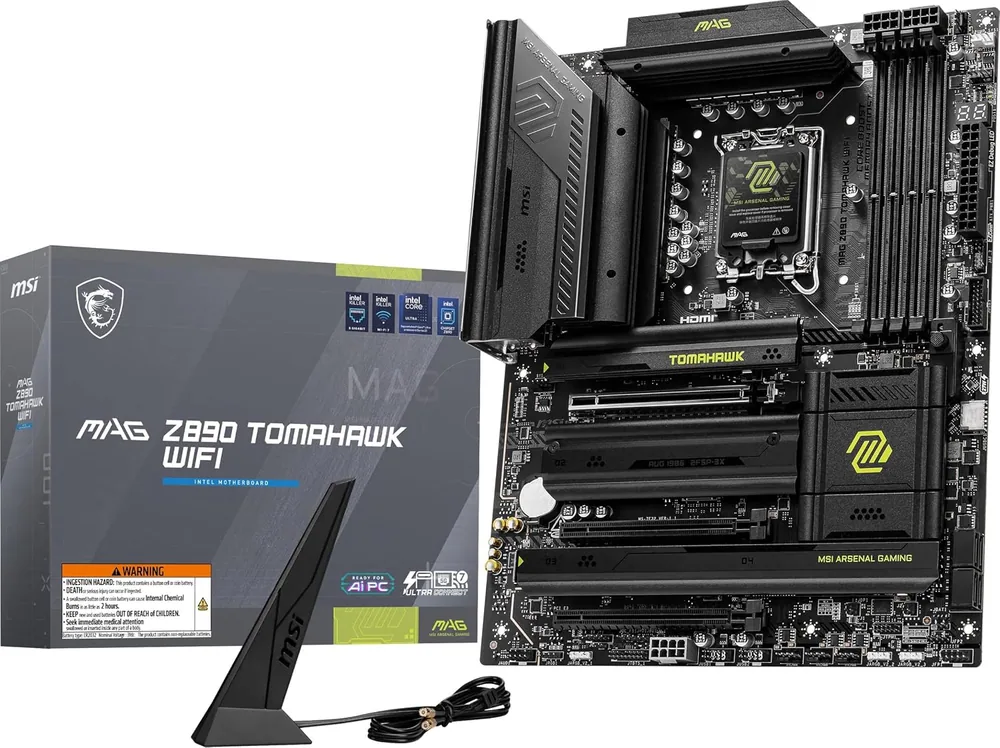
MSI MAG Z890 Tomahawk WiFi
- 2× Thunderbolt 4
- 4× x4 M.2
- 5GbE
- Wi-Fi 7
Best motherboards for content creation compared
| Product | Key specifications | Buy |
|---|---|---|
 Best overallASUS ProArt X870E-Creator WiFi |
| View on Amazon |
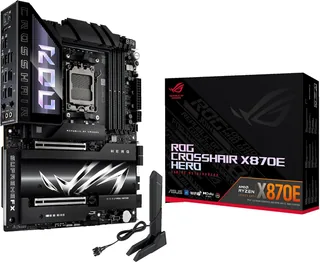 Most storageASUS ROG Crosshair X870E Hero |
| View on Amazon |
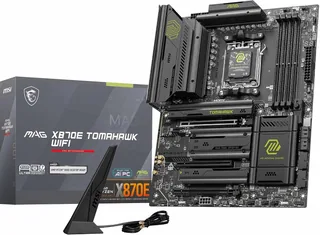 Best value AMDMSI MAG X870E Tomahawk WiFi |
| View on Amazon |
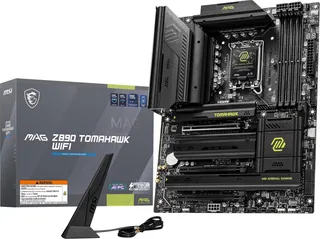 Best IntelMSI MAG Z890 Tomahawk WiFi |
| View on Amazon |
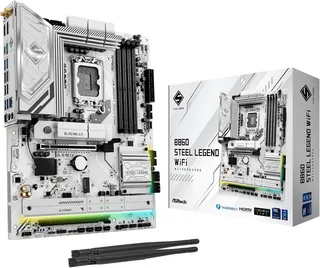 Best value IntelASRock B860 Steel Legend WiFi |
| View on Amazon |
1. ASUS ProArt X870E-Creator WiFi – Best Overall
Editor's choice Specifications
- Socket
- AM5
- Chipset
- AMD X870E
- Memory
- 4× DDR5, ECC and non-ECC unbuffered
- Power
- 16+2+2 power stages (80A Vcore/SoC)
- M.2
- 2× PCIe 5.0 x4, 2× PCIe 4.0 x4
- Network
- 10GbE + 2.5GbE LAN · Wi-Fi 7
Pros
- 10GbE + 2.5GbE
- Dual USB4
- x8/x8 PCIe 5.0 slots
- ECC memory support
Cons
- Gen5 M.2 #2 shares lanes with GPU slots
- No optical audio out
- Limited boot-debug information (reviewer note)
The ProArt X870E-Creator WiFi is the board on this list designed for this job. It's the only one with 10GbE built in, alongside a 2.5GbE port, and it adds two USB4 ports, two PCIe 5.0 x16 slots that split x8/x8, and support for ECC memory.
ASUS lists 16 (80A) + 2 (80A) + 2 power stages, and APH Networks found the power-delivery heatsinks stayed under 50 °C on the surface during a 30-minute Prime95 run, with no stability issues.
Networking that removes the bottleneck
If your projects live on a NAS, 10GbE is the single biggest upgrade a creator PC can get. Pair it with a 10GbE switch and NAS and large timelines open without the wait.
Expansion and the lane trade-off
The x8/x8 slots take a second GPU or a capture card. Using the second Gen5 M.2 slot changes them to x8/x4, so plan your drives and cards together. There's no optical audio output.
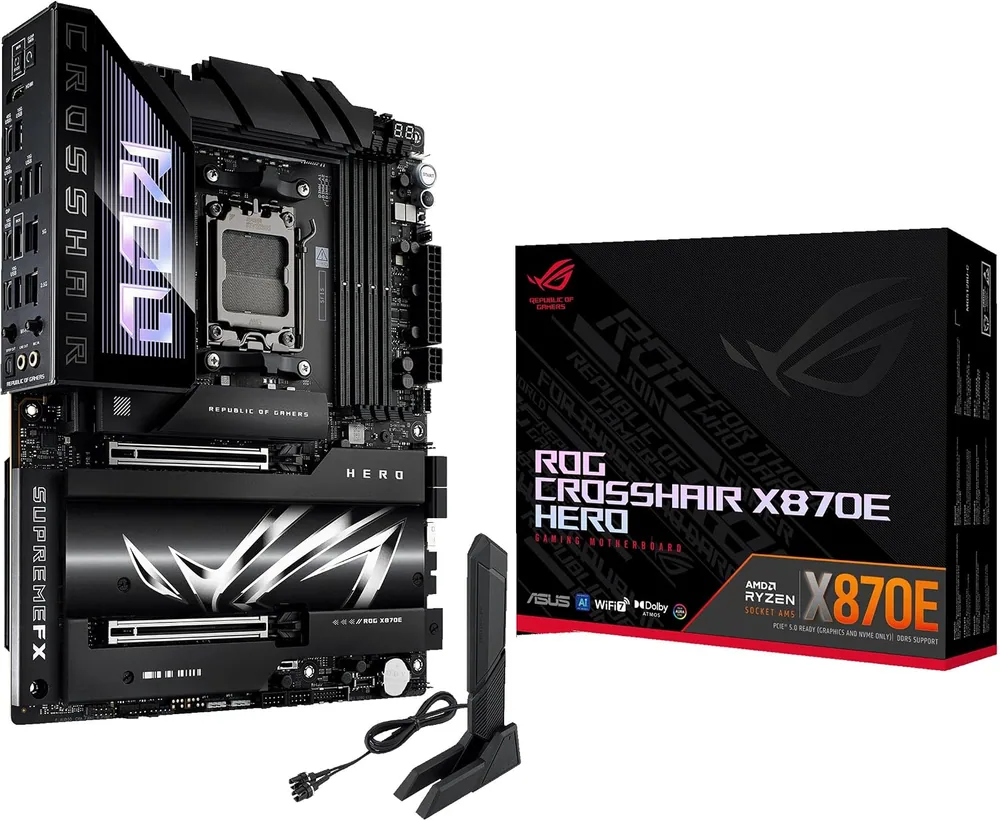
2. ASUS ROG Crosshair X870E Hero – Best for Storage
Specifications
- Socket
- AM5
- Chipset
- AMD X870E
- Power
- 18+2+2 power stages (110A Vcore/SoC)
- M.2
- 3× PCIe 5.0 x4, 2× PCIe 4.0 x4
- USB4
- 2× 40Gbps Type-C (rear)
- Network
- 5GbE + 2.5GbE LAN · Wi-Fi 7
Pros
- Three Gen5 M.2 slots
- Dual LAN and dual USB4
- Q-Code, FlashBack, Clear CMOS
- 60W front USB-C
Cons
- Gen5 M.2 #2/#3 reduce GPU slot to x8
- No 10GbE
- Sparse accessories
If your workflow is storage-heavy — 8K footage, big sample libraries, render caches — the Crosshair X870E Hero offers the most room: five M.2 slots, three of them PCIe 5.0 from the CPU. Dual LAN (5GbE plus 2.5GbE), dual USB4 and a 60W front USB-C header round it out.
Power for high-core-count CPUs
ASUS rates the power stages at 18 (110A) + 2 (110A) + 2 (80A). Reviewers at KitGuru and Guru3D highlighted the strength of the power delivery — useful for a Ryzen 9 under long renders.
GPU slot drops to x8 with M.2 #2 or #3
Using the second or third M.2 slot drops the main graphics slot to x8, and there's no 10GbE. If networking matters more than drive count, the ProArt is the better fit.
3. MSI MAG X870E Tomahawk WiFi – Best Value AMD
Specifications
- Socket
- AM5
- Chipset
- AMD X870E
- Memory
- 4× DDR5
- M.2
- 2× PCIe 5.0 x4, 2× PCIe 4.0 x4
- USB4
- 2× 40Gbps Type-C (rear)
- Network
- 5GbE LAN · Wi-Fi 7 · Bluetooth 5.4
Pros
- Dual rear USB4 ports
- Four x4 M.2 slots
- 5GbE and Wi-Fi 7
- Flash BIOS button
Cons
- Second Gen5 M.2 slot shares bandwidth with USB4
- Only one PCIe 5.0 expansion slot
Not every creator needs 10GbE. The X870E Tomahawk WiFi delivers what most editing and photography builds use day to day — two USB4 ports for fast external SSDs, two Gen5 M.2 slots and two full-speed Gen4 slots, plus 5GbE and Wi-Fi 7.
USB4 and storage share bandwidth
The second Gen5 M.2 slot and the rear USB4 ports share PCIe 5.0 x4: both drop to x2 when that slot is filled. If you depend on USB4 for external drives, put your fastest SSD in the first slot and use the Gen4 slots for the rest.
Ryzen 9 now or later
Pair it with a Ryzen 9 now or later; the board lists support for Ryzen 7000, 8000 and 9000.
4. MSI MAG Z890 Tomahawk WiFi – Best Intel
Specifications
- Socket
- LGA1851
- Chipset
- Intel Z890
- Memory
- 4× DDR5, CUDIMM support
- M.2
- 1× PCIe 5.0 x4, 3× PCIe 4.0 x4
- Thunderbolt
- 2× Thunderbolt 4 (rear)
- Network
- 5GbE LAN · Wi-Fi 7 · Bluetooth 5.4
Pros
- Two Thunderbolt 4 ports
- Four x4 M.2 slots
- 5GbE and Wi-Fi 7
- Flash BIOS button
Cons
- Not built for extreme overclocking
- Only one Gen5 M.2 slot
For Intel creators, the Z890 Tomahawk WiFi's headline feature is two rear Thunderbolt 4 ports — handy for Thunderbolt storage, docks and audio interfaces. All four M.2 slots run at x4, and 5GbE and Wi-Fi 7 cover networking.
Unlocked CPU support
Z890 allows CPU overclocking on K-series Core Ultra chips. Reviewers describe this as a mainstream board rather than one for extreme overclocking, which suits a stable workstation anyway.
LGA1851 upgrade path
Intel's next desktop processors are reported to use a new socket that won't fit LGA1851 boards. If you expect to upgrade the CPU, weigh that against AM5 — see AM5 vs LGA1851.
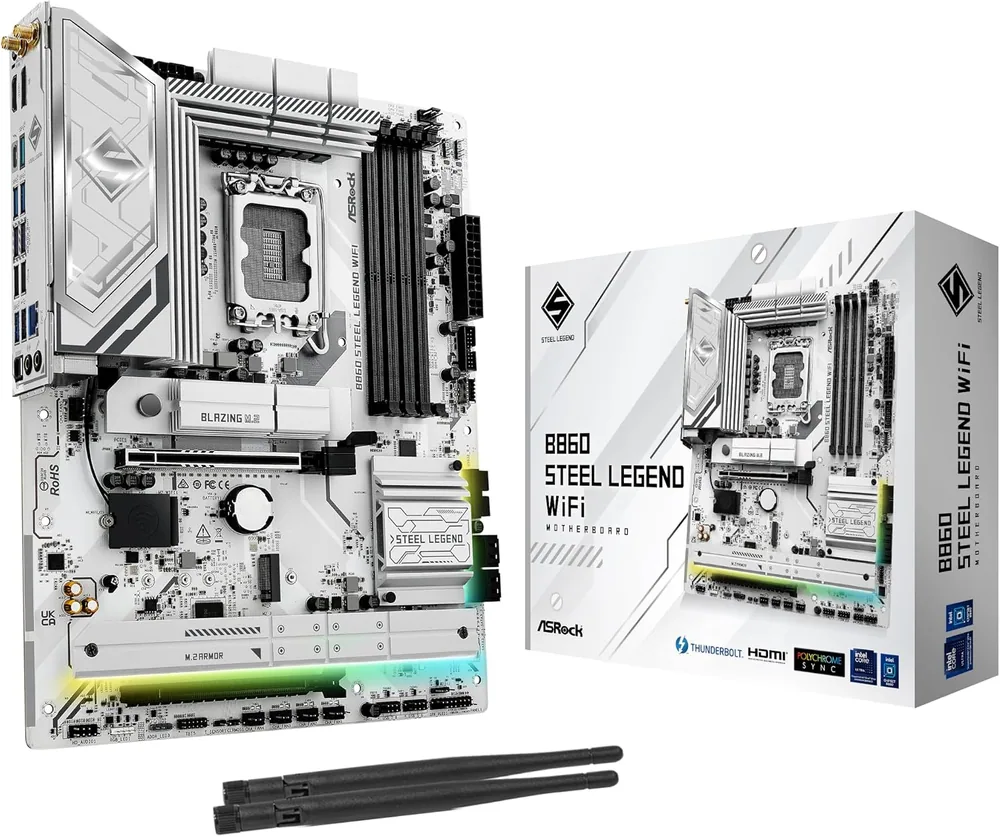
5. ASRock B860 Steel Legend WiFi – Best Value Intel
Specifications
- Socket
- LGA1851
- Chipset
- Intel B860
- Memory
- 4× DDR5, CUDIMM support
- M.2
- 1× PCIe 5.0 x4, 2× PCIe 4.0 x4, 1× PCIe 4.0 x2
- Thunderbolt
- 1× Thunderbolt 4 (rear)
- Network
- 2.5GbE LAN · Wi-Fi 6E · Bluetooth 5.3
Pros
- Thunderbolt 4
- Four M.2 slots
- BIOS Flashback
- Two 8-pin CPU connectors
Cons
- No CPU overclocking (B860)
- Wi-Fi 6E, not Wi-Fi 7
- Second x16 slot runs at x2
A creator build doesn't have to start at Z890. The B860 Steel Legend WiFi includes a Thunderbolt 4 port, four M.2 slots and BIOS Flashback, and PC Gamer measured its power circuitry at 45 °C with a Core Ultra 9 285K. It comes in a white and silver colorway.
What B860 gives up
No CPU overclocking, one Thunderbolt 4 port rather than two, 2.5GbE rather than 5GbE, and Wi-Fi 6E. For a stock-settings editing PC, those are reasonable trades. Details in Z890 vs B860.
Second x16 slot runs at x2
The second x16-length slot runs at x2 electrically, so it's best for low-bandwidth cards.
Why these five — and the boards we left out
For creator builds we required at least one 40Gbps port (USB4 or Thunderbolt 4) and four M.2 slots. That excluded three boards we recommend for other builds:
- MSI B850 Tomahawk MAX WiFi: excellent for gaming, but it has no USB4.
- ASUS ROG Strix B850-G Gaming WiFi: four M.2 slots, but no USB4 and only one expansion slot — no room for a capture card alongside the GPU.
- ASRock B850M Pro RS WiFi: no 40Gbps ports and only one M.2 heatsink.
How to decide between them
Where do your files live?
On a NAS: the ProArt, the only board here with 10GbE. On external SSDs: any board with two 40Gbps ports — the ProArt, Hero, X870E Tomahawk or Z890 Tomahawk. On internal drives: the Hero, with five M.2 slots.
Do you need a second card?
The ProArt and Hero both split their two PCIe 5.0 x16 slots x8/x8 for a second GPU or capture card. The B860 Steel Legend's second x16-length slot runs at x2, so keep it for low-bandwidth cards.
USB4 or Thunderbolt 4?
Both run at 40Gbps. If your dock, audio interface or storage specifically requires Thunderbolt, choose one of the two Intel boards; otherwise USB4 on the AMD boards does the same job for most drives.
AMD or Intel?
AM5 boards here list support for Ryzen 7000, 8000 and 9000, and a 16-core Ryzen 9 suits long renders — see the best boards for the Ryzen 9 9950X. Intel's next desktop chips are reported to need a new socket; AM5 vs LGA1851 covers the trade-off.
Three mistakes creator builds make
Paying for 10GbE without a 10GbE network. The port only helps if your switch and NAS run at 10GbE too.
Losing bandwidth to lane sharing. On the X870E Tomahawk, the second Gen5 M.2 slot shares with USB4; on the ProArt it splits the graphics slots x8/x4. Plan where each drive goes.
Choosing by gaming features. RGB and gaming software do nothing for render times or file transfers.
FAQs
Is a gaming motherboard good for content creation?
Often, yes — but check networking, external ports and storage layout rather than gaming features. Many gaming boards lack 10GbE and have fewer full-speed M.2 slots.
Do I need ECC memory?
Not for most creators. It can help on long, critical renders. The ProArt X870E-Creator supports ECC unbuffered memory if you want it.
AMD or Intel for video editing?
Both work well. AM5 has the longer proven upgrade path; Intel boards often include Thunderbolt 4. See AM5 vs LGA1851.
Is USB4 the same as Thunderbolt 4?
Both run at 40Gbps and many devices work with either, but they aren't identical. Check your devices' requirements, especially for docks and audio interfaces.
Best motherboards for content creation: final call
If your work depends on moving files, the ASUS ProArt X870E-Creator WiFi is the board to buy: 10GbE, dual USB4, x8/x8 expansion and ECC support in one package. Storage-heavy workflows suit the ROG Crosshair X870E Hero and its three Gen5 M.2 slots, while the MSI X870E Tomahawk WiFi covers most editing builds for less. On Intel, choose the Z890 Tomahawk WiFi for two Thunderbolt 4 ports, or the B860 Steel Legend WiFi for a value build at stock settings.
For our picks across every kind of build, see the best motherboards guide.