
Form & Budget
3 Best Budget Motherboards for AMD and Intel
A good budget motherboard cuts the extras, not the essentials. These three keep a PCIe 5.0 graphics slot, fast M.2 storage and BIOS Flashback — the features that decide whether a cheaper board is a smart buy or a false economy.
Disclosure: As an Amazon Associate I earn from qualifying purchases. Product picks come from manufacturer documentation and independent reviews; we have not tested these boards ourselves.
Spending less on a motherboard rarely costs you frame rates. It costs connectivity, convenience and upgrade headroom — and in a few cases, the ability to boot a new CPU at all. The difference between a good budget board and a bad one is which of those it gives up.
We judged every board against one rule: it must have a BIOS Flashback button. That single feature knocked out an Intel board we otherwise liked, because newer Core Ultra chips need a BIOS update that you can't install without one.
Top budget picks
One pick for the lowest-cost AMD build, one for spending a little more on AMD, and one for Intel.
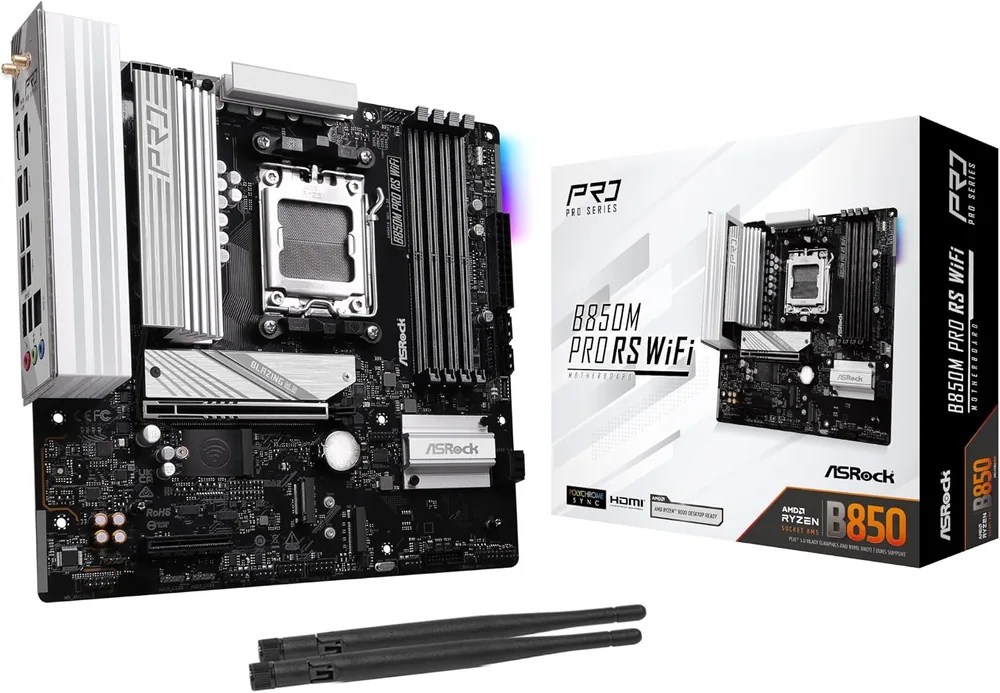
ASRock B850M Pro RS WiFi
- B850
- Micro-ATX
- BIOS Flashback
- Gen5 M.2
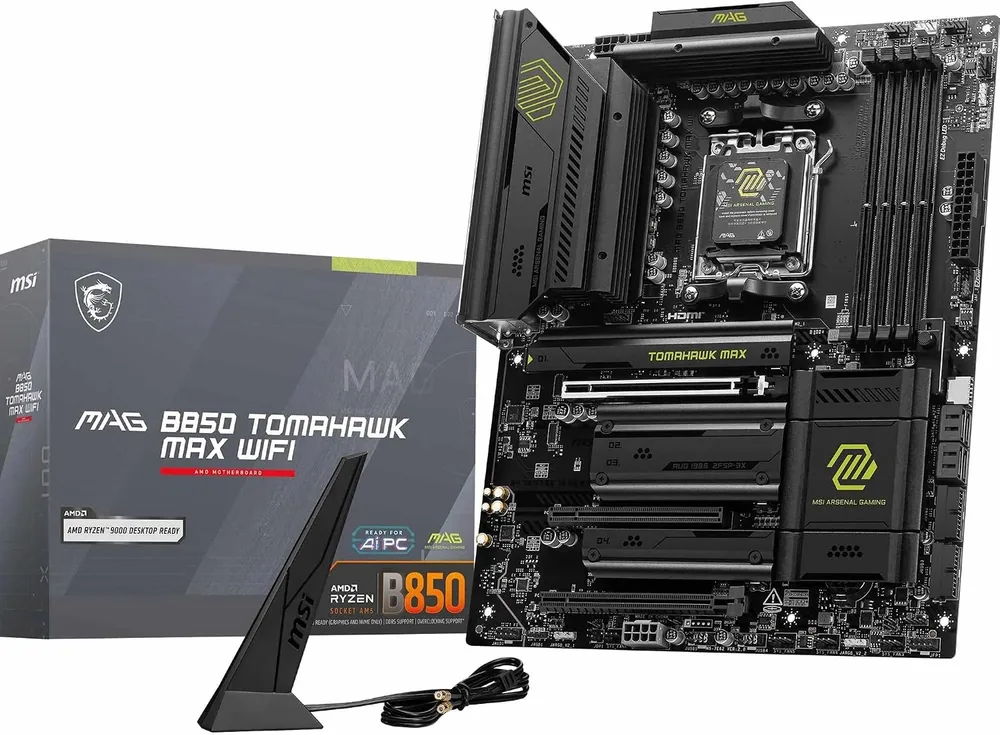
MSI MAG B850 Tomahawk MAX WiFi
- B850
- ATX
- 2× Gen5 M.2
- 5GbE
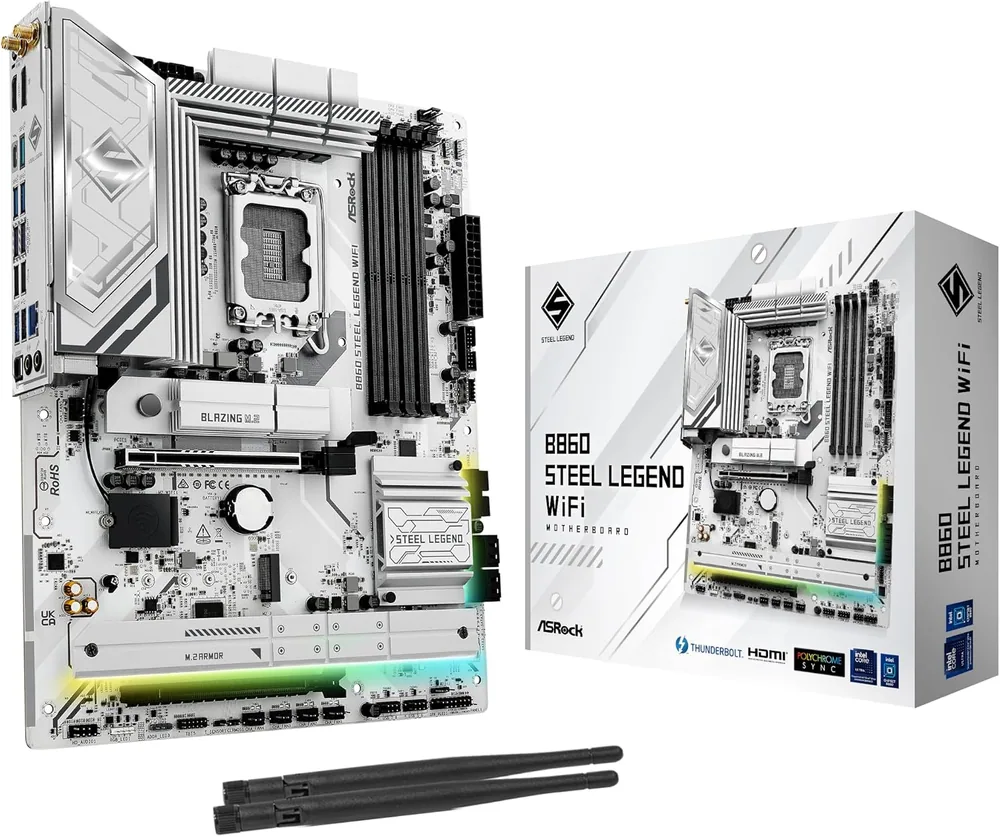
ASRock B860 Steel Legend WiFi
- B860
- Thunderbolt 4
- BIOS Flashback
- 4× M.2
Budget motherboards compared
| Product | Key specifications | Buy |
|---|---|---|
 Best budget AMDASRock B850M Pro RS WiFi |
| View on Amazon |
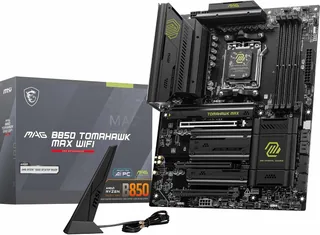 Value step-upMSI MAG B850 Tomahawk MAX WiFi |
| View on Amazon |
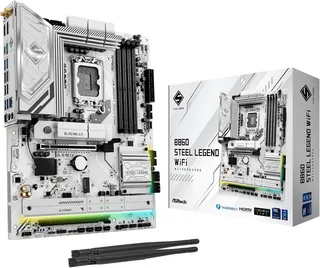 Best value IntelASRock B860 Steel Legend WiFi |
| View on Amazon |
1. ASRock B850M Pro RS WiFi – Best Budget AMD
Budget pick Specifications
- Socket
- AM5
- Chipset
- AMD B850
- Memory
- 4× DDR5
- M.2
- 1× PCIe 5.0 x4, 2× PCIe 4.0 x4
- BIOS
- BIOS Flashback button
- Network
- 2.5GbE LAN · Wi-Fi 6E · Bluetooth 5.2
Pros
- PCIe 5.0 GPU and M.2 slots
- BIOS Flashback
- Four DDR5 slots
- Wi-Fi 6E included
Cons
- Only one M.2 heatsink
- Front USB-C limited to 5Gbps
- Third M.2 disables PCIE2
The ASRock B850M Pro RS WiFi is the lowest-cost board in our recommendations, and it keeps a PCIe 5.0 graphics slot, a PCIe 5.0 M.2 slot, four DDR5 slots, Wi-Fi 6E and BIOS Flashback. ASRock sells it on Amazon US through its own ASRock USA store.
Where the savings show
Only the Gen5 M.2 slot has a heatsink, so pick a cool-running Gen4 drive for the other two slots. The front USB-C header is 5Gbps, CPU power is 8-pin plus 4-pin, and filling the third M.2 slot disables the second PCIe slot.
The right CPU for it
A Ryzen 5 or Ryzen 7 at stock settings — see our 9600X guide. For a 16-core Ryzen 9 we'd step up to a board with two 8-pin connectors.
2. MSI MAG B850 Tomahawk MAX WiFi – Best Value Step-Up
Specifications
- Socket
- AM5
- Chipset
- AMD B850
- Memory
- 4× DDR5
- GPU slot
- PCIe 5.0 x16
- M.2
- 2× PCIe 5.0 x4, 1× PCIe 4.0 x4, 1× PCIe 4.0 x2
- Network
- 5GbE LAN · Wi-Fi 7 · Bluetooth 5.4
Pros
- Full-bandwidth GPU slot
- Two Gen5 M.2 slots on CPU lanes
- 5GbE and Wi-Fi 7
- Flash BIOS button
Cons
- No USB4
- Third M.2 slot limited to PCIe 4.0 x2
If you can stretch a little, the B850 Tomahawk MAX WiFi removes nearly every compromise of the ASRock: full ATX, two Gen5 M.2 slots that don't share the GPU's lanes, two 8-pin CPU connectors, 5GbE and Wi-Fi 7.
What the extra buys you
Headroom for a bigger CPU later, a second fast SSD, faster wired and wireless networking, and heatsinks on the M.2 slots.
Still no USB4
USB4. If you need it, the X870E Tomahawk WiFi is the next step — see what X870E adds.
3. ASRock B860 Steel Legend WiFi – Best Value Intel
Specifications
- Socket
- LGA1851
- Chipset
- Intel B860
- Memory
- 4× DDR5, CUDIMM support
- M.2
- 1× PCIe 5.0 x4, 2× PCIe 4.0 x4, 1× PCIe 4.0 x2
- Thunderbolt
- 1× Thunderbolt 4 (rear)
- Network
- 2.5GbE LAN · Wi-Fi 6E · Bluetooth 5.3
Pros
- Thunderbolt 4
- Four M.2 slots
- BIOS Flashback
- Two 8-pin CPU connectors
Cons
- No CPU overclocking (B860)
- Wi-Fi 6E, not Wi-Fi 7
- Second x16 slot runs at x2
For a Core Ultra build at stock settings, the B860 Steel Legend WiFi includes features budget Intel boards often skip: Thunderbolt 4, four M.2 slots, two 8-pin CPU connectors and BIOS Flashback. PC Gamer measured its power circuitry at 45 °C with a Core Ultra 9 285K.
Why Flashback matters on Intel right now
Core Ultra 200S Plus processors need a BIOS update on 800-series boards. Flashback lets you install it from a USB drive without a working CPU.
No CPU overclocking, Wi-Fi 6E, x2 second slot
No CPU overclocking, Wi-Fi 6E rather than Wi-Fi 7, and the second x16-length slot runs at x2. Details in Z890 vs B860, and every Intel pick is in the best Intel LGA1851 motherboards.
Budget boards we left out
- MSI B860 Gaming Plus WiFi: no Flash BIOS button, which is a real risk with Core Ultra 200S Plus CPUs that need a BIOS update.
- MSI B860 Tomahawk WiFi: a strong board, but it wasn't available new from Amazon or an authorized seller on Amazon US when we checked.
How to decide between them
Lowest cost or least compromise?
The ASRock gets a Ryzen build running for the least outlay. The B850 Tomahawk MAX costs more but fixes every limitation listed above — the better long-term buy if you might upgrade the CPU.
Check the case size
The ASRock is Micro-ATX and fits Micro-ATX and ATX cases. The other two need an ATX case. See board sizes explained.
Don't overpay for the chipset
B850 and B860 cover most builds. Pay for X870E or Z890 only for USB4, extra connectivity or Intel CPU overclocking.
FAQs
Is a budget motherboard bad for gaming?
No. At stock settings, games depend on the CPU and graphics card. A budget board with a PCIe 5.0 graphics slot loses nothing in frame rates.
What features should a budget board never skip?
BIOS Flashback, at least one fast M.2 slot, and built-in Wi-Fi if you can't run a cable.
Is Micro-ATX cheaper than ATX?
Often, because there's less board. The trade is fewer expansion slots — fine for most single-GPU builds.
Best budget motherboards: final call
For the lowest-cost Ryzen build that still has BIOS Flashback and PCIe 5.0, choose the ASRock B850M Pro RS WiFi. If you can stretch, the B850 Tomahawk MAX WiFi is the board you won't outgrow. On Intel, the B860 Steel Legend WiFi gives you Thunderbolt 4 and Flashback without paying for Z890. Need it smaller? See the best Micro-ATX motherboards, or compare everything in our best motherboards guide.